How to Buy Web Hosting: A Step-by-Step Guide for First-Timers
Buying web hosting for the first time can seem more complicated than it really is. To buy web hosting, choose a hosting type that fits your website, compare the resources and features you actually need, check the renewal terms and support, select a suitable billing period, and complete the provider's signup process. The important part is choosing the right hosting environment before paying for a plan.
You do not need to understand every server technology before buying hosting. You do, however, need to know what you are building, how much control you need, and what could become important as the website grows.
If you are completely new to hosting, start with our guide to What Is Web Hosting? A Complete Beginner's Guide before choosing a plan.
What Do You Need Before Buying Web Hosting?
Before opening a hosting provider's pricing page, establish a few basics.
You will usually need:
- A domain name, although you can often register one separately or during hosting signup
- An idea of what type of website you are building
- An approximate expectation of website traffic
- The platform you plan to use, such as WordPress
- A budget for both the initial term and future renewals
- An understanding of whether you need email, backups, staging, or other features
For a simple business website or blog, the requirements may be modest. A WooCommerce store, membership website, web application, or heavily customized WordPress installation may need a different hosting environment.
The mistake to avoid is buying hosting based only on the largest storage number or the lowest introductory price.
Step 1: Decide What Website You Are Building
The first question is not "Which hosting company should I buy?"
It is:
What am I going to host?
For example, these websites can have very different requirements:
| Website type | What to consider |
|---|---|
| Personal blog | Simplicity, reliability, backups and ease of management |
| Small business website | Performance, security, support and room to grow |
| WordPress website | WordPress compatibility, backups, PHP support and management tools |
| WooCommerce store | Performance, database resources, security and scalability |
| Portfolio website | Ease of management and sufficient storage |
| Web application | Server resources, operating environment and technical control |
A small informational website does not necessarily need the same hosting environment as an online store.
This is why choosing a hosting plan should come after defining the website rather than before it.
Step 2: Choose the Right Type of Web Hosting
The main hosting types you are likely to encounter are shared hosting, VPS hosting, dedicated hosting, and managed hosting services.
Shared Hosting
Shared hosting places multiple websites on the same physical server environment.
It is often designed around simplicity and affordability, making it a common starting point for smaller websites.
The trade-off is that you generally have less control over the server environment than you would with a VPS or dedicated server.
VPS Hosting
VPS hosting provides a virtualized server environment with more control and allocated resources than typical shared hosting.
It can make sense when a website has outgrown basic hosting or requires greater configuration flexibility.
However, VPS hosting can also require more technical knowledge, particularly when the server is unmanaged.
Dedicated Hosting
Dedicated hosting provides a server environment dedicated to one customer.
This can provide substantial control and resources, but it also introduces more responsibility and is usually unnecessary for a typical first website.
Managed Hosting
Managed hosting means the provider handles some aspects of server or website management for you.
The exact meaning of "managed" varies between providers, so check what is actually included rather than assuming the label means everything is handled.
For many first-time website owners, simplicity matters more than having maximum server control.
Step 3: Decide Whether You Need WordPress Hosting
If you are planning to build a WordPress website, you may encounter hosting plans specifically marketed for WordPress.
The important question is not simply whether the plan has "WordPress" in its name.
Check what the hosting environment actually provides.
Depending on the provider and plan, relevant features may include:
- WordPress installation tools
- Automatic updates
- Backups
- SSL support
- PHP version support
- Caching
- Staging functionality
- Security tools
- WordPress-specific technical support
The exact features vary, so verify them on the provider's current documentation or plan page before purchasing.
If you are building a WordPress website and want to understand the broader setup, How Does Web Hosting Work? can help connect the hosting environment with the rest of your website.
Step 4: Estimate How Much Hosting You Actually Need
One of the easiest mistakes for beginners is buying far more hosting than their website currently requires.
You should instead consider:
- Number of websites
- Expected traffic
- Storage requirements
- Database usage
- Media files
- Email requirements
- Performance needs
- Expected growth
- Whether you will host applications or stores
For a basic company website containing pages, images, contact information, and a blog, the requirements may be relatively straightforward.
A website containing thousands of products, large media files, or complex applications is a different situation.
Do not confuse a large resource allowance with better hosting for your particular project.
Step 5: Compare the Important Hosting Features
Once you know what you are building, compare the plans using features that affect the actual website.
Storage
Storage determines how much data you can keep in your hosting account.
Consider your website files, images, databases, backups if they are stored within the account, and other data.
More storage is not automatically better if you will never use it.
Bandwidth and Traffic Policies
Hosting providers may describe bandwidth, data transfer, traffic, or resource usage differently.
Read the provider's current terms rather than assuming that an "unlimited" label means there are no restrictions.
Look for any fair-use policies, resource limits, or restrictions that could affect your website.
SSL
An SSL/TLS certificate helps establish encrypted connections between visitors and your website.
For a normal public website, HTTPS should be considered a basic requirement rather than an optional extra.
Check whether SSL is included and how it is managed.
Backups
Backups are one of the most important features to understand before buying hosting.
Find out:
- Whether backups are provided
- How frequently they are created
- How long they are retained
- Whether restoration is included
- Whether backups are stored separately from the main website
Do not assume that a hosting provider's backup system replaces your own backup strategy.
Security
Look at the security tools and responsibilities associated with the hosting plan.
Depending on the environment, these may involve malware protection, firewalls, account isolation, monitoring, updates, or other security measures.
The exact implementation varies, so focus on documented features rather than marketing labels.
Control Panel
A control panel can make routine hosting tasks considerably easier.
For beginners, a straightforward interface can be more valuable than a technically powerful environment that is difficult to manage.
Consider how you will:
- Manage files
- Create databases
- Configure domains
- Manage email
- Install applications
- Create backups
- Access server settings
Step 6: Check the Renewal Price, Not Just the Introductory Price
A hosting plan may have one price when you first purchase it and a different price when it renews.
This is particularly important when comparing hosting providers.
Before paying, look for:
- Initial promotional price
- Renewal price
- Billing frequency
- Contract or subscription term
- Optional add-ons
- Domain renewal costs
- Cancellation terms
Do not evaluate a hosting plan purely by its first payment.
If the current pricing is important to your decision, check the provider's live pricing page because hosting prices and promotions can change.
Step 7: Decide How Long You Want to Pay For
Hosting providers commonly offer different billing periods.
A longer initial term may have a different effective price than paying month to month, but it also means committing to the service for longer.
Think about how certain you are about:
- Your hosting provider
- Your website project
- Your expected hosting requirements
- Your budget
If you are still experimenting with your first website, flexibility may matter more than minimizing the initial cost.
Step 8: Check Customer Support Before You Buy
Support becomes especially important when you are new to hosting.
Look at:
- Available support channels
- Support hours
- Documentation
- Knowledge base quality
- Migration assistance
- WordPress-related support
- Server-related support
Also pay attention to what the provider considers your responsibility.
A hosting company may provide infrastructure support without managing your website itself.
Understanding that distinction can prevent frustration later.
Step 9: Decide Whether You Need a Domain Name
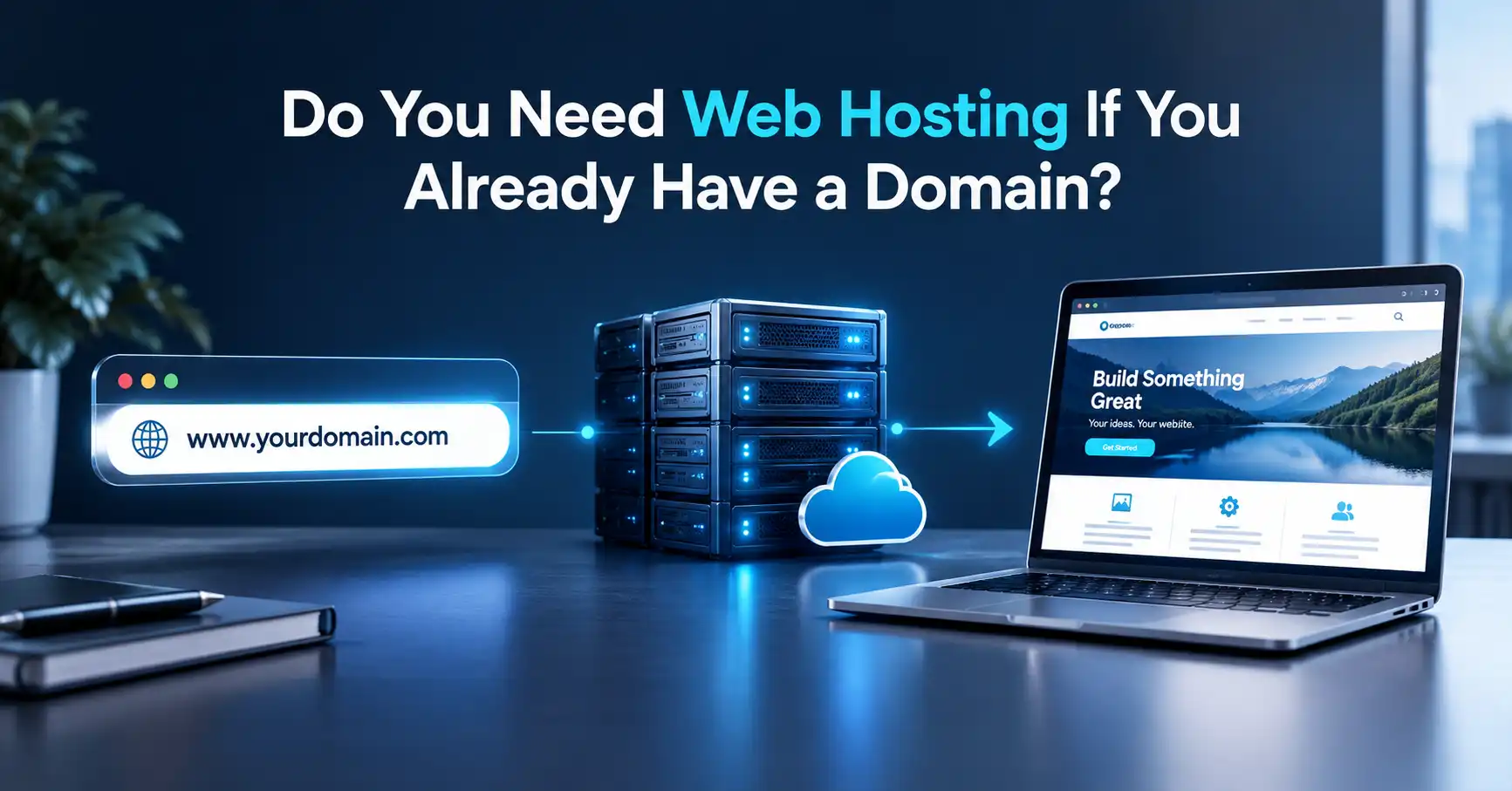
Your domain name and web hosting are related, but they are not the same thing.
A domain name is the address visitors use to reach your website.
Web hosting provides the server environment where your website's files and associated data are stored and served.
You can often buy them from the same company, but you do not necessarily have to.
If you are still unclear about the difference, see Web Hosting vs Domain: What's the Difference?.
Should You Buy the Domain and Hosting Together?
For a first-time website owner, buying both from one provider can simplify initial setup.
Buying them separately can also be useful when you want more flexibility or already own your domain.
The important thing is understanding which service you are paying for.
Step 10: Review the Checkout Carefully
Before clicking the final purchase button, review the entire order.
Check:
- Hosting plan
- Billing period
- Initial price
- Renewal price
- Domain registration
- Domain privacy, where applicable
- SSL
- Backup options
- Security add-ons
- Email services
- Website builders
- Other optional services
Hosting checkout pages can include additional services that you may or may not need.
Do not select an add-on simply because it appears during checkout. First determine whether your website actually requires it.
Step 11: Create Your Hosting Account
Once you have selected the plan, complete the provider's registration and payment process.
You will normally receive account information that allows you to access the hosting control panel or management dashboard.
Keep your account credentials secure and enable available account security features, particularly multi-factor authentication where supported.
Your hosting account is part of your website's security perimeter, so it should not be treated like an ordinary disposable online account.
Step 12: Connect Your Domain to Your Hosting
If your domain and hosting are purchased separately, you will need to connect them.
This is normally done through DNS settings or nameserver configuration.
The exact process depends on your domain registrar and hosting provider.
After the DNS configuration changes, it can take some time for the new settings to become visible across the internet.
Do not assume that an immediate failure means the configuration is permanently wrong.
If you are building your first website, understanding What Is a Server? Understanding Website Servers can also make the relationship between your domain, DNS, hosting environment, and website easier to understand.
Step 13: Install or Upload Your Website
After your hosting environment is ready, you can put your website online.
For WordPress, this may involve an automated installation process.
For a custom website, you may need to upload files, create a database, configure environment settings, and connect the application to the database.
For an existing website, you may instead need to migrate the site from another hosting provider.
The exact process depends on the technology behind the website.
Step 14: Secure and Configure the Website
Buying hosting is not the end of the setup process.
Before considering the website ready, check:
- HTTPS is working
- Administrator passwords are secure
- Unnecessary accounts are removed
- Backups are configured
- Software is updated
- DNS is correctly configured
- The website loads correctly
- Forms work
- Important pages are accessible
- Email is working if required
For WordPress, also review plugins, themes, administrator accounts, updates, backups, and security settings.
How Much Should You Spend on Web Hosting?
There is no single hosting price that is right for every website.
The amount you should spend depends on the type of website, required resources, management needs, expected growth, and level of technical control.
A useful way to compare hosting costs is to look beyond the first payment.
Ask:
- What is the initial price?
- What is the renewal price?
- What features are included?
- What features require additional payment?
- Will I need to upgrade soon?
- How much management will I have to do myself?
The cheapest plan can become inconvenient if it lacks something your website needs. At the same time, paying for advanced infrastructure you will never use does not automatically improve a small website.
What Should Beginners Look for in Web Hosting?
For a first website, prioritize practical requirements over impressive-sounding specifications.
A useful checklist is:
- Suitable hosting type
- Reliable HTTPS support
- Adequate storage
- Appropriate resource allocation
- Backups
- Security features
- Easy website management
- Clear renewal pricing
- Useful documentation
- Accessible customer support
- Room for reasonable growth
The exact priority will depend on the website.
For example, a developer building a custom application may care deeply about server access and configuration flexibility, while a small business owner running WordPress may place greater value on simple management and reliable support.
Common Mistakes First-Time Hosting Buyers Make
Choosing only by price
The lowest introductory price does not necessarily represent the lowest long-term cost or the best fit.
Buying too many resources
Beginners sometimes assume that the biggest plan is automatically safer.
It is usually better to buy enough capacity for the current project with reasonable room for growth.
Ignoring renewal pricing
Always check what happens after the initial promotional period.
Treating hosting and domains as the same thing
They are different services that work together.
Assuming backups are automatic and sufficient
Check what is actually backed up, how often, and how restoration works.
Buying unnecessary add-ons
Review every optional service before adding it to the order.
Choosing a technically complex server too early
More control also means more responsibility.
If you do not need that control, a simpler environment may be easier to maintain.
Forgetting about future website growth
A website that starts as a basic brochure site may eventually add a blog, ecommerce functionality, membership features, or other resource-intensive components.
Choose hosting with a sensible upgrade path.
What Happens After You Buy Web Hosting?
Buying the hosting plan is only the beginning.
A typical journey looks like this:
Choose hosting → purchase the plan → configure the domain → activate HTTPS → install or migrate the website → configure backups and security → test the website → maintain and monitor it
That last step is important.
A website is not finished simply because it is online. Updates, backups, security, performance, content, and technical maintenance continue throughout its life.
For that reason, hosting should be considered part of the larger website infrastructure rather than an isolated purchase.
A Simple Web Hosting Buying Checklist
Before completing your purchase, ask:
- Do I know what type of website I am building?
- Have I selected an appropriate hosting type?
- Does the plan support my website platform?
- Is there enough storage and server capacity?
- Is HTTPS supported?
- Are backups included, and do I understand how they work?
- Have I checked the renewal price?
- Have I reviewed optional add-ons?
- Do I understand the support options?
- Do I know whether my domain is included?
- Is there a clear upgrade path?
- Do I understand what I will need to manage myself?
If you can answer these questions confidently, you are in a much better position to buy hosting without choosing a plan based purely on marketing language.
FAQs
Can I buy web hosting without buying a domain?
Yes. Web hosting and domain registration are separate services. You can purchase them from the same company or from different providers and connect the domain to your hosting account through DNS configuration.
What type of hosting should a beginner buy?
For many small websites, a straightforward hosting environment can be easier to manage than a technically complex server. The right choice depends on the website, platform, expected resource requirements, and how much server management you want to handle yourself.
Should I buy the cheapest web hosting plan?
Price should be one factor rather than the only factor. Compare the plan's resources, backups, security, support, renewal cost, and upgrade options to determine whether it actually fits your website.
Do I need WordPress hosting if I use WordPress?
Not necessarily. WordPress can run on suitable general-purpose hosting environments, while specialized WordPress hosting may provide additional management or optimization features. Check what the specific hosting plan actually includes.
Should I pay for web hosting monthly or annually?
That depends on how certain you are about the project and provider. Compare the total cost, renewal terms, flexibility, and cancellation conditions rather than choosing a billing period based only on the advertised initial price.
Can I change my hosting provider later?
Yes. Websites can generally be migrated from one hosting provider to another. The process can involve moving website files and databases, configuring DNS, testing the new environment, and ensuring email and other services continue to work.
Share this article 👇