

Executive Summary: Divi at a Glance
Let’s be real, you’re probably looking at Divi because you’ve seen those stunning, complex websites and thought, “I want that, but I’m not a coder.” You can. Divi is a visual powerhouse that gives you incredible design freedom. But—and this is a big but—it comes with a learning curve and a reputation for being a bit “heavy.”
My Quick Verdict: Divi is fantastic for design-focused users and freelancers who want granular control and don’t mind a few days of learning. It’s less ideal for absolute beginners who want the simplest possible solution or for developers who prefer to work strictly with code.
Pros: Unmatched design control, true “what you see is what you get” editing, lifetime license option, massive template library.
Cons: Noticeable learning curve, can feel bloated and slow if not optimized, the “theme lock-in” is real.
Getting Started: Your First Hour with Divi
I remember my first time opening the Divi Builder. It was… overwhelming. There are a lot of buttons and options. The onboarding process isn’t as hand-holding as something like Elementor.
You install the theme, and then you’re pretty much thrown into the deep end. I highly, highly recommend starting with a pre-made layout pack. Don’t try to build from a blank canvas. Picking a demo site that looks close to what you want and then reverse-engineering it by clicking on everything is the fastest way to learn. It took me about 2-3 hours of poking around before I felt comfortable, so don’t get discouraged early on.
The Divi Builder: Where the Magic (and Complexity) Happens
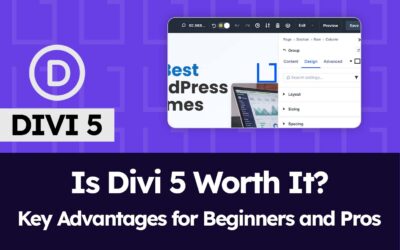
Once you get past the initial shock, the visual builder is where Divi shines. You literally watch your page come to life as you drag and drop elements like text, images, and buttons.
- The Feel: It feels powerful. You can right-click on almost any element, see detailed options for spacing, sizing, and animations. Want to add a custom CSS hover effect? It’s right there. This is Divi’s biggest selling point.
- The “Sections, Rows, Columns” Model: This is the foundation. It’s logical but can feel rigid at first. You build by adding sections, then splitting them into rows and columns. It makes for a clean structure, but sometimes you have to get creative to achieve more complex, “outside the box” layouts.
- The Global Elements are a Game-Changer: This is my favorite feature. You can set a header, footer, or a call-to-action button as “global.” Then, if you change it in one place, the update is reflected across your entire website. This is a massive time-saver for site-wide edits.
“The visual builder is what makes Divi special. Experience it yourself!”
🎯 Try Divi Risk-FreePerformance: Is Divi Still a Speed Hog?
This is the question everyone asks. Historically, yes, Divi had a bad rep for slow loading times. I put a fresh Divi site through GTmetrix and PageSpeed Insights. The raw scores weren’t amazing—hovering in the 60s-70s on mobile.
Here’s the real talk: Out of the box, Divi isn’t the fastest theme. It loads a lot of CSS and JavaScript to make its visual magic work. However, this is where your choice of hosting and a good caching plugin becomes critical. After I installed W3 Total Cache and leveraged browser caching on my test site (hosted on a decent cloud VPS), the scores jumped into the high 80s. So, the performance hit is manageable, but it requires you to be proactive. Don’t use Divi on cheap, underpowered shared hosting.
SEO: Will Google Understand Your Divi Site?
Yes, absolutely. Divi outputs clean enough HTML for Google to crawl and index without issue. It has basic built-in SEO fields for titles and meta descriptions on each page, but honestly, I (and most pros) ignore them.
You’ll want to use a dedicated SEO plugin like RankMath or Yoast. The good news is that Divi plays perfectly with them. There’s no conflict. From an SEO perspective, your content, backlinks, and site structure matter far more than the fact that you’re using Divi.
The Whole Package: Support, Community, and AI
Your subscription gets you access to everything Elegant Themes offers.
- Support: I’ve submitted a few tickets over the years. They’re not the 5-minute-response type, but I usually got a helpful, solution-oriented reply within 24 hours.
- Community: This is a huge asset. There are massive Facebook groups, YouTube channels, and developers creating third-party plugins specifically for Divi. If you have a problem, someone has already solved it and posted a tutorial.
- Divi AI: I tested the new AI feature. It’s neat for generating placeholder text or a basic image if you’re stuck, but it’s not a reason to buy Divi on its own. It’s a helpful add-on, not a core feature.
Pricing and The “Lock-In” Reality
Divi’s pricing is straightforward: a yearly subscription or a one-time lifetime payment. The lifetime deal is a fantastic value if you plan to use it on multiple client sites.
Now, let’s talk about the “lock-in.” This is Divi’s biggest long-term drawback. Because all your content is built with Divi’s shortcodes, you cannot simply switch to another theme and expect your beautiful pages to remain. They will break and turn into a mess of code. Migrating away from Divi is a painful, manual process. You are committing to the Divi ecosystem for the life of that website.
Final Decision: Who Is Divi Actually For?
Choose Divi if:
- You are a freelancer or agency building custom client sites.
- You love design and want pixel-perfect control without touching code.
- You value a one-time payment (lifetime license) over a subscription.
- You don’t mind spending a weekend learning a powerful tool.
Look elsewhere if:
- You are an absolute beginner who gets frustrated easily.
- Your #1 priority is raw, blazing-fast page speed above all else.
- You know you’ll want to change themes frequently.
- You’re a developer who prefers to work in pure code (Gutenberg, Oxygen).
⏰ Before You Check Alternatives…
Divi’s lifetime deal beats paying yearly for other builders
A Quick Look at Alternatives
- Elementor: The main rival. Generally easier for beginners to pick up. Has a bigger third-party add-on market. It can also have performance issues.
- WordPress Block Editor (Gutenberg): Getting more powerful every year. Much, much lighter and faster. Requires less technical maintenance but offers less design control out of the box.
- Oxygen Builder: Loved by developers for its clean code and speed. It’s less of a “theme” and more of a framework. Has a much steeper learning curve than Divi.
Bottom Line: I keep coming back to Divi for client projects where design is the top priority. It’s a workhorse that, once you learn its quirks, lets you build almost anything you can imagine. Just be ready to learn, and pair it with good hosting.