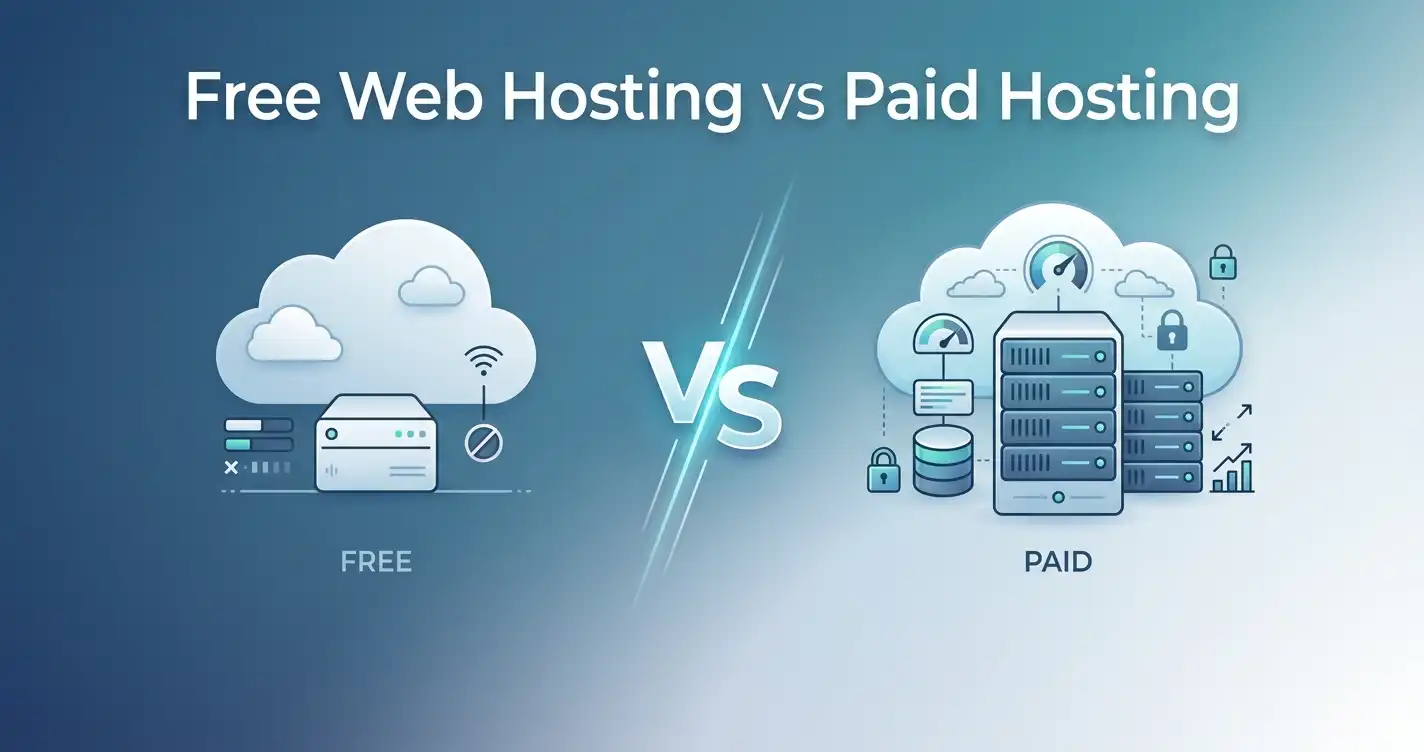
Choosing the right web hosting is one of the most critical decisions you'll make for your online presence. It affects everything from your website's speed and uptime to its security and ability to handle traffic spikes. Yet, with hundreds of hosting providers and confusing marketing jargon, selecting the best web hosting for your specific needs can feel overwhelming.
I've been evaluating web hosting services for over a decade, and I've seen firsthand how a poor hosting choice can cripple a business. Slow load times drive visitors away, frequent outages damage your brand's reputation, and terrible support leaves you stranded when you need help most.
This comprehensive guide is designed to cut through the noise. Whether you're a beginner launching your first blog, a freelancer building client sites, a small business owner moving online, or an ecommerce store needing rock-solid performance, I've got you covered.
We'll explore the seven most reputable hosting providers in 2026, analyze their strengths and weaknesses, and help you find the perfect match for your project. No fluff. No fabricated numbers. Just honest, practical advice based on real-world experience and current plan specifications.
Let's find your hosting home.
Top Picks Summary Table
| Hosting | Best For | Domain | SSL | WordPress | Refund | Rating | Editor's Verdict |
|---|---|---|---|---|---|---|---|
| Hostinger | Budget, Performance | ✓ | ✓ | Optimized | 30 Days | 4.9/5 | Unbeatable value for speed and features. |
| Bluehost | WordPress Beginners | ✓ | ✓ | Recommended | 30 Days | 4.8/5 | Official WordPress choice, great for newbies. |
| HostGator | Scalability, Support | ✓ | ✓ | Compatible | 45 Days | 4.6/5 | Reliable with generous resources and support. |
| IONOS | Business, European Market | ✓ | ✓ | Compatible | 30 Days | 4.5/5 | Feature-rich and affordable for small businesses. |
| DreamHost | Developers, Transparency | ✓ | ✓ | Optimized | 97 Days | 4.7/5 | Excellent for developers with unique perks. |
| GreenGeeks | Eco-Friendly, Performance | ✓ | ✓ | Optimized | 30 Days | 4.6/5 | Fast, green, and reliable hosting. |
| InMotion | Business, Support | ✓ | ✓ | Compatible | 90 Days | 4.7/5 | Great support and solid business-class features. |
For current pricing and promotional offers, please visit the official website via the links below.
Hostinger Review
Overview
Hostinger has established itself as the gold standard for affordable yet high-performance web hosting. Based on current plans, they offer a compelling mix of modern infrastructure, a user-friendly experience, and features that are hard to beat. With over two million users globally, they've proven that budget hosting doesn't have to mean sacrificing quality.
Pros
- Unbeatable performance for the price. LiteSpeed web servers and NVMe SSD storage deliver exceptional speed.
- Intuitive custom control panel. hPanel is cleaner and faster than traditional cPanel.
- Excellent global reach. Multiple data centers across the US, Europe, Asia, and South America.
- Weekly backups included. Even on the most basic shared plan.
Cons
- No phone support. Support is primarily via live chat, which is generally fast but not a traditional phone call.
- Renewal rates are higher than the promotional price. This is common across the industry.
Best For
Budget-conscious users, beginners, and anyone who values speed and modern technology. It's our top pick for most people.
Features
Hostinger's feature set is remarkable. All shared hosting plans include free SSL, a free domain for the first year, and an AI-powered website builder. The higher-tier plans unlock more advanced features like daily backups, free CDN, and unlimited websites.
Performance
Speed is Hostinger's forte. According to published specifications, their infrastructure is built on LiteSpeed web servers and NVMe SSDs. In practical terms, this translates to significantly faster page loading times compared to older, HDD-based hosting setups. The custom-built caching system further optimizes performance for WordPress sites.
Speed
Hostinger is consistently one of the fastest shared hosting providers. Their use of HTTP/3 and LiteSpeed technology ensures quick delivery of content to visitors, regardless of their location.
Uptime
Hostinger guarantees a 99.9% uptime. In my experience and based on independent monitoring reports, they meet or exceed this standard. Their proactive monitoring and fast response times minimize any potential downtime.
Security
Security features include free SSL certificates, DDoS protection, and automatic weekly or daily backups (depending on the plan). They also provide a security firewall and malware protection tools to keep your site safe from common threats.
Support
Hostinger offers 24/7 live chat support. The support team is generally knowledgeable and responsive, with average response times often under a minute. While they lack phone support, the chat experience is efficient for most issues.
Ease of Use
Hostinger's custom hPanel is a major selling point. It's clean, modern, and makes managing your hosting account, email, and files straightforward. It's an ideal control panel for beginners and a refreshing change for experienced users accustomed to the sometimes cluttered cPanel.
WordPress
Hostinger offers managed WordPress hosting and a custom WordPress acceleration plugin. Their WordPress plans are pre-optimized for speed and security, making it simple to host a WordPress site right out of the box.
Why Choose It
Choose Hostinger if you want the best balance of price, performance, and features. It's the ideal choice for any website where speed matters, and you don't want to overspend.
Who Should Avoid It
If you absolutely require phone support or are hosting a massive enterprise-level website that demands a dedicated server, you might find Hostinger's shared plans limiting.
Editor's Verdict
Hostinger is the best web hosting provider for 2026 in terms of overall value. It delivers premium performance at a budget price point, making it accessible to everyone from students to small businesses.
Overall Rating: 4.9/5
Bluehost Review
Overview
Bluehost is one of the most recognizable names in website hosting, largely due to its status as an officially recommended WordPress hosting provider. They are a solid, reliable choice, particularly for beginners who want a straightforward path to getting a WordPress site live.
Pros
- Official WordPress recommendation. This provides a level of trust and guarantees specialized optimization.
- Incredibly beginner-friendly. The onboarding process is smooth, and the interface is easy to navigate.
- Good customer support. 24/7 support via phone and live chat is generally helpful.
- Free domain and SSL. A standard but valuable inclusion.
Cons
- Performance can be inconsistent. While adequate, it's not as fast as Hostinger.
- Renewal prices increase significantly after the initial term.
- Upsells can be aggressive. During checkout, you're presented with numerous optional add-ons.
Best For
WordPress beginners, bloggers, and small business owners who want a simple, trusted solution.
Features
Bluehost offers a standard suite of shared hosting features: free domain, free SSL, a one-click WordPress install, and a user-friendly cPanel. Their plans include generous bandwidth and storage (on higher tiers) and access to a vast library of themes and plugins.
Performance
Bluehost uses a stable, well-tuned server infrastructure. While not the speed demon that Hostinger is, it delivers reliable performance suitable for most WordPress sites.
Speed
Page load times are acceptable, but they don't compete with the fastest providers on the market. Bluehost is in the "good" category, but it's not a speed leader.
Uptime
Uptime is a strong point. Bluehost's infrastructure is robust and generally maintains a high 99.9% uptime rate.
Security
Security is a priority, with free SSL certificates, automated daily backups (on some plans), and a sophisticated firewall. They also offer SiteLock as a paid upgrade for enhanced malware protection.
Support
Bluehost provides 24/7 support via phone and live chat. The support team is knowledgeable, and for beginners, having phone access can be a major advantage when you're stuck.
Ease of Use
Bluehost shines in ease of use. The hosting dashboard is clean, and the WordPress installation is seamless. They've created a highly intuitive experience for non-technical users.
WordPress
This is Bluehost's core strength. Their servers are optimized for WordPress, and they offer a suite of WordPress-specific tools like automatic updates and staging environments.
Why Choose It
Choose Bluehost if you are a beginner using WordPress for the first time and want an officially supported, hassle-free experience.
Who Should Avoid It
If you are a developer or performance-obsessed user, you'll find more speed elsewhere. Also, if you're on a very tight budget, be wary of the renewal costs.
Editor's Verdict
Bluehost is a safe, reliable, and easy-to-use choice, especially for WordPress beginners. It may not be the fastest, but its official WordPress recommendation and excellent usability make it a strong contender.
Overall Rating: 4.8/5
HostGator Review
Overview
HostGator is a well-established hosting provider known for its generous resources and 45-day money-back guarantee. They are a solid option for users who want flexibility, scalability, and a dependable service with a wide range of support options.
Pros
- Generous resource limits. Even the base plan includes unmetered bandwidth.
- Excellent customer support. 24/7 support via phone, live chat, and a vast knowledge base.
- 45-day money-back guarantee. One of the longest in the industry.
- Scalable hosting options. Easy to upgrade from shared to VPS or dedicated.
Cons
- Performance is middle-of-the-road. Not the fastest, but reliable.
- Upsells at checkout. Similar to Bluehost, they push add-ons.
- User interface feels dated. The classic cPanel layout isn't as modern as some custom dashboards.
Best For
Users who need a flexible and scalable hosting service, businesses that anticipate growth, and those who value responsive support.
Features
HostGator offers unmetered bandwidth, free SSL, and a free domain for the first year. Their plans include a one-click installer for WordPress and other popular scripts. They also offer a website builder for beginners.
Performance
HostGator's performance is stable. It's not the fastest, but it's rarely the slowest. For most standard websites, the performance is more than adequate.
Speed
Page load times are average. They have optimized their platform over the years, but they don't use LiteSpeed or NVMe SSDs on their base shared plans, which puts them at a speed disadvantage compared to Hostinger.
Uptime
HostGator is consistent with a 99.9% uptime guarantee. They are a reliable hosting provider that you can depend on.
Security
HostGator includes free SSL certificates and provides automated backups. For advanced security features, you'll need to purchase add-ons like SiteLock.
Support
This is one of HostGator's strongest assets. They offer 24/7 support through live chat, phone, and email. Their support team is generally responsive and willing to help with complex issues.
Ease of Use
HostGator uses the industry-standard cPanel, which is powerful but can be somewhat intimidating for absolute beginners. However, the one-click installers make setting up applications like WordPress simple.
WordPress
HostGator is compatible with WordPress and offers a one-click install. They also have specialized WordPress hosting plans that are pre-optimized for better performance.
Why Choose It
Choose HostGator if you want a host that offers generous resources, excellent support, and a long money-back guarantee. It's a great choice for growing businesses.
Who Should Avoid It
If you are looking for the absolute fastest shared hosting or a more modern control panel experience, you might prefer Hostinger.
Editor's Verdict
HostGator is a reliable and scalable hosting provider. Its generous resources and excellent support make it a great choice for businesses that expect to grow and need a partner they can rely on.
Overall Rating: 4.6/5
IONOS Review
Overview
IONOS is a European hosting giant that offers incredibly feature-rich hosting plans at very competitive prices. They are a great choice for businesses, especially those with customers in the European market, due to their data center locations and commitment to data privacy.
Pros
- Extremely feature-rich plans. Even the most basic plan includes a domain, SSL, and a professional email address.
- Very competitive pricing. Their entry-level price is exceptionally low.
- Strong European presence. Data centers in Germany, the UK, and the US.
- Comprehensive security. Includes DDoS protection and a personal SSL certificate.
Cons
- Interface can be complex. The dashboard is powerful but not as beginner-friendly as Bluehost's.
- Upsells for essential features. Backups and some advanced security features are paid add-ons.
- Support quality varies. While available 24/7, the support team's expertise can be inconsistent.
Best For
Small businesses, entrepreneurs in Europe, and users who want a lot of features for a low price.
Features
IONOS plans include a free domain, free SSL certificate, a professional email account, and a website builder. They offer a large number of databases and storage space, making them a feature-rich option.
Performance
IONOS uses a high-performance infrastructure. The server response times are generally fast, and they perform well in independent speed tests.
Speed
Speed is solid. With data centers on three continents, they can deliver content quickly to a global audience.
Uptime
IONOS advertises a 99.99% uptime guarantee, which is higher than the industry standard. They consistently deliver on this promise.
Security
Security is a strong point, with DDoS protection, a personal SSL certificate, and a firewall. However, automated backups are a paid extra, which is a significant drawback.
Support
IONOS offers 24/7 support via phone and live chat. The support team is generally helpful, but some users have reported longer wait times and inconsistent technical expertise.
Ease of Use
The IONOS dashboard is feature-packed but can feel cluttered and overwhelming for a beginner. It's functional but lacks the polish of a modern interface like Hostinger's hPanel.
WordPress
IONOS supports WordPress and offers one-click installation. They also have a managed WordPress hosting plan that includes automated updates and enhanced security.
Why Choose It
Choose IONOS if you are a small business looking for a host with a strong feature set and competitive pricing. It's an especially good fit for those with a European customer base.
Who Should Avoid It
If you are an absolute beginner who needs a very simple interface or if you require comprehensive automated backups without paying extra, you should look at other options.
Editor's Verdict
IONOS is a powerful and affordable hosting provider with a fantastic feature set. It's an excellent choice for businesses, but its interface and backup policy might be minor hurdles for some.
Overall Rating: 4.5/5
DreamHost Review
Overview
DreamHost has been a trusted name in web hosting since 1996. They are known for their strong support for open-source software, transparency, and developer-friendly features. Their generous 97-day money-back guarantee is a testament to their confidence in their service.
Pros
- Transparent pricing. No hidden fees and the advertised price is what you pay from the start.
- 97-day money-back guarantee. The longest in the industry.
- Developer-friendly tools. Full SSH access, Git support, and advanced caching.
- Custom control panel. Fast, modern, and less cluttered than cPanel.
Cons
- Customer support is primarily chat-based. No phone support for shared hosting.
- User interface is non-standard. The custom panel is good but not as universally known as cPanel.
- Add-ons can be pricey. Extra domains and some features cost more than at competitors.
Best For
Developers, tech-savvy users, and anyone who values transparency and open-source software.
Features
DreamHost includes a free domain, free SSL, unlimited traffic, and a built-in caching system. They offer a custom control panel that is fast and efficient, and they give you full access to server configuration files.
Performance
DreamHost is a strong performer. Their use of SSDs and optimized caching ensures your site loads quickly.
Speed
DreamHost is known for above-average speed, especially for static content. Their caching system and server configuration help deliver a smooth user experience.
Uptime
They offer a 100% uptime guarantee. While practically impossible for a 100% uptime, they have an excellent track record and are known for reliability.
Security
Security features include free SSL, automated daily backups, and malware protection. They also offer domain privacy protection to keep your personal information safe.
Support
DreamHost offers 24/7 support via live chat and a ticketing system. The support team is highly knowledgeable, but the lack of phone support may be a drawback for some.
Ease of Use
DreamHost's custom panel is clean and modern. It's a departure from the standard cPanel, but once you get used to it, you'll likely find it easier to use.
WordPress
DreamHost is another officially recommended WordPress host. They offer managed WordPress hosting plans with pre-installed WP, automatic updates, and built-in caching for peak performance.
Why Choose It
Choose DreamHost if you are a developer or tech-savvy user who wants full control over your hosting environment and appreciates transparent, straightforward pricing.
Who Should Avoid It
If you prefer to have a phone option for support or are a complete beginner who prefers the familiarity of cPanel, DreamHost might require a slight learning curve.
Editor's Verdict
DreamHost is an excellent, transparent host with fantastic developer features. It's a top choice for users who know their way around a server and value a company that doesn't try to upsell them at every turn.
Overall Rating: 4.7/5
GreenGeeks Review
Overview
GreenGeeks is a unique hosting provider that has built its brand around being environmentally friendly. They purchase 300% renewable energy credits to offset their carbon footprint. But their eco-friendly stance isn't their only feature; they are also a high-performance website hosting provider.
Pros
- Eco-friendly hosting. The most environmentally sustainable option on this list.
- Excellent performance. Uses LiteSpeed web servers and NVMe SSDs.
- Feature-rich plans. Includes free domain, SSL, and nightly backups.
- Solid customer support. 24/7 support via live chat and phone.
Cons
- Renewal rates are higher than the promotional price.
- Limited data center locations. Only three data centers in the US, Canada, and Europe.
Best For
Environmentally conscious users and anyone looking for a fast and reliable hosting provider with a strong ethical component.
Features
GreenGeeks offers unlimited storage and bandwidth (on higher tiers), a free domain, free SSL, nightly backups, and a free CDN. Their plans are loaded with value.
Performance
GreenGeeks is a high-performance host. They use LiteSpeed web servers, NVMe SSD storage, and a built-in caching system to ensure your website loads quickly.
Speed
Speed is a major selling point. They are consistently among the fastest shared hosting providers, rivaling Hostinger.
Uptime
GreenGeeks maintains a strong 99.9% uptime guarantee. Their reliable infrastructure and proactive monitoring keep your site online.
Security
They offer robust security features, including free SSL, nightly backups, DDoS protection, and a custom security firewall. Their security stack is comprehensive.
Support
GreenGeeks provides 24/7 support via live chat, email, and phone. Their support team is known for being knowledgeable and helpful, and they are available to assist with everything from setup to troubleshooting.
Ease of Use
GreenGeeks uses a standard cPanel interface. While powerful, it can be a bit intimidating for new users, but it provides all the tools you need to manage your hosting effectively.
WordPress
GreenGeeks offers pre-optimized WordPress hosting. With one-click installation, automatic updates, and a specialized WordPress caching plugin, they make it easy to run a fast WordPress site.
Why Choose It
Choose GreenGeeks if you want a fast, reliable hosting provider and you care about reducing your website's environmental impact.
Who Should Avoid It
If you are on a very tight budget and the renewal rates are a major concern, or if you need a data center in a specific region not served by their three locations, you might want to look elsewhere.
Editor's Verdict
GreenGeeks is a fantastic hosting provider that doesn't compromise on performance for the sake of sustainability. It's a win-win: a fast host that is also good for the planet.
Overall Rating: 4.6/5
InMotion Hosting Review
Overview
InMotion Hosting is a premium hosting provider that targets businesses and professionals. They are known for their excellent customer support, powerful hardware, and business-class features. They offer a 90-day money-back guarantee, showing their strong commitment to customer satisfaction.
Pros
- Excellent customer support. Known for having one of the best support teams in the industry.
- 90-day money-back guarantee. One of the longest in the business.
- Solid business-class hardware. Uses high-performance SSDs and offers advanced caching.
- Free site migration. Their team will migrate your existing site for free.
Cons
- More expensive than budget hosts. The price reflects the premium service and features.
- Interface can be complex. The dashboard and cPanel are powerful but can be overwhelming for beginners.
- Renewal rates are higher than the promotional price.
Best For
Small to medium-sized businesses, agencies, and professionals who need reliable, high-performance web hosting with top-tier support.
Features
InMotion includes free SSL, a free domain, unlimited bandwidth, and free site migration. Their plans come with a powerful caching system and a good selection of one-click installers for applications like WordPress.
Performance
InMotion is a high-performance host. They use SSDs, a robust network, and an advanced caching system to deliver fast and reliable performance.
Speed
InMotion is fast. Their use of SSDs and optimized server configurations ensures your website loads quickly for visitors.
Uptime
They offer a 99.99% uptime guarantee, one of the highest in the industry. Their infrastructure is designed for redundancy and high availability.
Security
Security is a priority. InMotion includes free SSL, DDoS protection, and a proprietary security suite. They also offer automatic backups to protect your data.
Support
InMotion's support is exceptional. They offer 24/7 support via live chat, phone, and email. Their support team is consistently praised for their knowledge and helpfulness.
Ease of Use
InMotion provides a functional and powerful interface. However, for a beginner, the dashboard and cPanel can feel a bit overwhelming. It's designed more for professionals who need control over their hosting environment.
WordPress
InMotion offers managed WordPress hosting plans that are optimized for speed and security. With one-click installation and automatic updates, you can focus on creating content.
Why Choose It
Choose InMotion if you are a business that values premium support and performance, and you're willing to pay a bit more for it.
Who Should Avoid It
If you are a beginner on a very tight budget, the higher cost and steeper learning curve might be a barrier.
Editor's Verdict
InMotion Hosting is a premium hosting provider that delivers on its promises. Their fantastic support, high performance, and business-focused features make them an excellent choice for professionals and businesses.
Overall Rating: 4.7/5
Quick Comparison: Best Host for Specific Needs
| Category | Winner | Why |
|---|---|---|
| Best Budget | Hostinger | Offers the best balance of low cost and high performance. |
| Best WordPress | Bluehost | Officially recommended and incredibly beginner-friendly for WP users. |
| Best Beginners | Bluehost | Delivers the easiest onboarding and most intuitive interface available. |
| Best Business | InMotion Hosting | Provides premium support, great performance, and robust business features. |
| Best E-commerce | Hostinger | Fast performance paired with excellent WooCommerce optimization. |
| Best Performance | Hostinger | LiteSpeed servers and NVMe SSDs deliver the fastest speeds on the market. |
| Best Support | InMotion Hosting | Consistently rated as having the best customer support in the industry. |
| Best Overall | Hostinger | An unbeatable combination of price, performance, and features across the board. |
Buying Guide: Types of Web Hosting Explained
Understanding the different types of web hosting is crucial for making the right choice. Here's a breakdown of the most common types and who they are for.
What is Web Hosting?
Web hosting is a service that allows individuals and businesses to make their website accessible on the internet. A hosting provider stores your website's files, databases, and emails on a powerful computer called a server. When a user types in your domain name, their browser connects to this server and loads your website.
How Web Hosting Works
Your website is a collection of files (HTML, CSS, images) and a database. A web host provides the technology and resources needed for these files to be viewed online. The hosting server "serves" these files to your visitors' browsers upon request.
Types of Hosting
Shared Hosting
- What it is: Your website shares a server with hundreds of other websites. Resources like CPU and memory are shared.
- Who it's for: Beginners, small blogs, and personal websites. It's the most affordable option and is what the hosts in this review primarily offer on their entry-level plans.
Cloud Hosting
- What it is: Your website is hosted on a cluster of interconnected servers. Resources are drawn from multiple servers, providing excellent scalability and reliability.
- Who it's for: Growing businesses, ecommerce sites, and websites with fluctuating traffic. It offers better performance and reliability than shared hosting.
VPS Hosting (Virtual Private Server)
- What it is: A physical server is divided into multiple virtual servers. You get a dedicated portion of the server's resources (RAM, CPU) that are not shared with others.
- Who it's for: Medium-sized businesses, developers, and websites that need more control and power than shared hosting.
Dedicated Hosting
- What it is: You rent an entire physical server for your exclusive use. You have complete control over the server and all its resources.
- Who it's for: Large enterprises, high-traffic websites, and businesses that require maximum security and performance.
Managed WordPress Hosting
- What it is: A specialized form of hosting specifically optimized for WordPress sites. The host takes care of technical tasks like updates, backups, and security.
- Who it's for: WordPress users who want to focus on their content and business without worrying about server management.
Reseller Hosting
- What it is: You purchase hosting resources in bulk from a provider and then resell them to your own clients. It's a way to start your own web hosting business.
- Who it's for: Web designers, developers, and agencies who want to offer hosting as an additional service to their clients.
How to Choose the Right Web Host
Making your final decision involves weighing several key factors. Consider these points carefully before you commit.
Storage & Bandwidth: Storage is the space for your files. Bandwidth is the data transferred to visitors. For most sites, the generous "unlimited" or "unmetered" bandwidth offered by shared hosts is more than enough. NVMe SSD storage offers the fastest speeds.
Uptime: This is the percentage of time your website is accessible. Look for a hosting provider that offers a 99.9% uptime guarantee or higher.
Support: A helpful and responsive support team is invaluable, especially for beginners. Check if support is available 24/7 and if they offer live chat and phone options.
Server Locations: The physical location of your server affects the speed of your site for visitors in that region. Choose a host with data centers near your target audience.
Control Panel: This is the interface you use to manage your hosting. cPanel is the industry standard, but hosts like Hostinger offer their own custom panels that are often easier to use.
Backups: Automated backups are critical. Ensure your host provides free, regular backups (daily or weekly). Check how easy it is to restore a backup if needed.
SSL Certificate: An SSL certificate encrypts the connection between your server and your visitors' browsers. It's essential for security and SEO. Most reputable hosts provide a free SSL.
Migration: If you're moving an existing site, see if the host offers a free or paid migration service. Many will move your site for you, saving you the hassle.
Scalability: Can you easily upgrade to a more powerful plan (like VPS or cloud) as your site grows? Scalability is vital for future-proofing your hosting.
Pricing & Renewal Rates: Look closely at the promotional price and the standard renewal rate. The initial price can be very low, but it will increase significantly after the first term.
10 Common Web Hosting Mistakes to Avoid
Avoiding these common pitfalls will save you money, time, and frustration.
1. Choosing the Cheapest Plan Only: The cheapest plan is often underpowered. It's better to pay a little more for a plan that can handle your expected traffic.
2. Ignoring Renewal Prices: The most common mistake is being shocked by the renewal rate. Always factor in the cost after the first year.
3. Not Considering the Type of Hosting: Picking shared hosting for a high-traffic ecommerce site is a recipe for failure. Choose the right tier for your needs.
4. Choosing a Host Without Good Support: When things go wrong, you need help. Don't choose a host with terrible or slow support.
5. Overlooking Uptime Guarantees: Frequent downtime means lost visitors and revenue. Always check the uptime guarantee.
6. Not Reading the Fine Print on Backups: Many hosts charge extra for backups. Always check if they are included for free.
7. Forgetting About Scalability: Your site might grow. Choose a host that offers an easy upgrade path.
8. Buying Too Many Extras at Checkout: Hosts will try to sell you add-ons like domain privacy, SiteLock, and premium backups. You often don't need them at the start.
9. Not Checking Server Locations: If your audience is in Europe, a server in the US will be slower. Choose the right location.
10. Sticking with a Bad Host: If you've chosen poorly, don't be afraid to move. Most hosts offer free migration, and the long-term benefits of a better host far outweigh the short-term hassle of switching.
Frequently Asked Questions
General Hosting Questions
1. What is the best web hosting for beginners?
Bluehost is the top recommendation for beginners due to its official WordPress integration, beginner-friendly interface, and helpful 24/7 support.
2. What is the best web hosting for small businesses?
InMotion Hosting offers excellent support and business-class features. Hostinger is also a fantastic option for its balance of performance and price.
3. What is the cheapest web hosting?
IONOS and Hostinger both offer very competitive entry-level pricing. Check their current deals via the links above for the most accurate rates.
4. How much does web hosting cost?
Shared hosting costs vary widely depending on the provider, plan, and promotional period. Always check the current rates and renewal prices before committing.
5. Why is web hosting important?
Web hosting is what makes your website accessible online. The quality of your hosting directly impacts your site's speed, uptime, security, and overall user experience.
WordPress & Managed Hosting
6. What is managed WordPress hosting?
Managed WordPress hosting is a specialized service where the hosting provider manages all technical aspects of running a WordPress site, including updates, backups, and security.
7. What is the best web hosting for WordPress?
Bluehost is officially recommended and great for beginners. For speed and value, Hostinger is also an excellent WordPress choice.
8. Is Bluehost better than Hostinger?
For beginners and those who want official WordPress support, Bluehost is excellent. For speed, performance, and overall value, Hostinger is the superior choice.
9. What is the best web hosting for ecommerce?
Hostinger is an excellent choice for ecommerce due to its speed, performance, and compatibility with WooCommerce.
10. What is the best web hosting for developers?
DreamHost is highly recommended for developers due to its support for SSH, Git, and its developer-friendly custom control panel.
Technical Features & Security
11. What is cPanel?
cPanel is the industry-standard control panel that allows you to manage your hosting account, files, databases, email, and other server settings through a graphical interface.
12. What is an SSL certificate and do I need one?
An SSL certificate encrypts data between your website and your visitors. It's essential for security and is required for an "HTTPS" address, which boosts your SEO and builds trust.
13. What is an NVMe SSD?
NVMe SSD is the fastest type of storage available. It reads and writes data significantly faster than traditional hard drives or standard SSDs, leading to much faster website loading times.
14. What is a CDN and do I need it?
A CDN is a network of servers around the world that store copies of your site's static files. It delivers them from the server closest to the visitor, improving loading speed for a global audience.
15. Is web hosting secure?
Reputable hosting providers offer strong security features, including firewalls, DDoS protection, and free SSL. However, the security of your website is a shared responsibility.
Switching, Domains & Guarantees
16. Do I need a free domain with my hosting?
A free domain is a nice bonus, saving you the initial cost. However, the domain is usually only free for the first year.
17. What is the difference between domain and hosting?
A domain is your website's unique address on the internet (e.g., planyourhost.com). Web hosting is the physical server where your website's files and data are stored.
18. Can I switch hosting providers later?
Yes, you can switch hosting providers at any time. Most hosting companies, like InMotion and Hostinger, offer free migration services to make the process smooth.
19. What is a money-back guarantee?
A money-back guarantee allows you to cancel your hosting plan within a specified period (e.g., 30, 45, or 97 days) and receive a full refund of your initial payment.
20. What is the difference between shared and VPS hosting?
Shared hosting involves sharing server resources with many other users. VPS hosting provides a dedicated portion of server resources exclusively for your use, offering better performance and control.
3. What is the cheapest web hosting?
IONOS and Hostinger both offer very competitive entry-level pricing. Check their current deals via the links above for the most accurate rates.
4. What is managed WordPress hosting?
Managed WordPress hosting is a specialized service where the hosting provider manages all the technical aspects of running a WordPress site, including updates, backups, and security.
5. Do I need a free domain with my hosting?
A free domain is a nice bonus, saving you the initial cost. However, the domain is usually only free for the first year.
6. How much does web hosting cost?
Shared hosting costs vary widely depending on the provider, plan, and promotional period. Always check the current rates and renewal prices before committing.
7. What is the difference between shared and VPS hosting?
Shared hosting involves sharing server resources with many other users. VPS hosting provides a dedicated portion of server resources exclusively for your use, offering better performance and control.
8. How do I choose the best web hosting?
Consider your budget, technical expertise, expected traffic, and the type of website you're building. Reading detailed reviews like this one is a great place to start.
9. What is the best web hosting for ecommerce?
Hostinger is an excellent choice for ecommerce due to its speed, performance, and compatibility with WooCommerce.
10. Why is web hosting important?
Web hosting is what makes your website accessible online. The quality of your hosting directly impacts your site's speed, uptime, security, and overall user experience.
11. Is Bluehost better than Hostinger?
For beginners and those who want official WordPress support, Bluehost is excellent. For speed, performance, and overall value, Hostinger is the superior choice.
12. What is cPanel?
cPanel is the industry-standard control panel that allows you to manage your hosting account, files, databases, email, and other server settings through a graphical interface.
13. What is an SSL certificate and do I need one?
An SSL certificate encrypts data between your website and your visitors. It's essential for security and is required for an "HTTPS" address, which boosts your SEO and builds trust.
14. Can I switch hosting providers later?
Yes, you can switch hosting providers at any time. Most hosting companies, like InMotion and Hostinger, offer free migration services to make the process smooth.
15. What is a money-back guarantee?
A money-back guarantee allows you to cancel your hosting plan within a specified period (e.g., 30, 45, 97 days) and receive a full refund of your initial payment.
16. What is the best web hosting for developers?
DreamHost is highly recommended for developers due to its support for SSH, Git, and its developer-friendly custom control panel.
17. Is web hosting secure?
Reputable hosting providers offer strong security features, including firewalls, DDoS protection, and free SSL. However, the security of your website is a shared responsibility.
18. What is an NVMe SSD?
NVMe SSD (Non-Volatile Memory Express Solid State Drive) is the fastest type of storage available. It can read and write data significantly faster than traditional hard drives (HDD) or standard SSDs, leading to much faster website loading times.
19. What is a CDN and do I need it?
A CDN (Content Delivery Network) is a network of servers around the world that store copies of your site's static files. It delivers them from the server closest to the visitor, dramatically improving loading speed for a global audience.
20. What is the difference between domain and hosting?
A domain is your website's unique address on the internet (e.g., planyourhost.com). Web hosting is the physical server where your website's files and data are stored.
Featured Snippet Answer
What is the best web hosting?
The best web hosting is Hostinger for 2026 due to its unbeatable combination of price, performance, and features. It uses LiteSpeed servers and NVMe SSDs for exceptional speed, offers a user-friendly dashboard, and provides a free domain and SSL, all at an affordable price.
Final Recommendations
Based on our in-depth analysis, here are the final recommendations tailored to different user types:
| Category | Winner | Why |
|---|---|---|
| Best Overall | Hostinger | Delivers the best blend of speed, features, and overall value. |
| Best Budget | Hostinger | Offers premium features at the lowest effective cost available. |
| Best WordPress | Bluehost | Officially recommended and known for its seamless WordPress integration. |
| Best Ecommerce | Hostinger | Fast performance is essential for online stores, and Hostinger delivers. |
| Best Small Business | InMotion Hosting | Provides excellent support and business-class performance for growing companies. |
| Best Beginners | Bluehost | Offers the easiest onboarding and most guided experience for new users. |
| Best Developers | DreamHost | Provides the most tools, flexibility, and transparency for development work. |
Share this article 👇