Best Web Hosting for Beginners
Choosing your first web host sounds simple until you see how many plans, discounts, storage limits, WordPress options, and “free” extras are packed into the checkout pages. The cheapest number is not necessarily the best deal, and the plan with the biggest specifications may be completely unnecessary for a new website.
For most beginners, the real goal is much simpler: find hosting that is easy to set up, reasonably fast, reliable, affordable after the promotion ends, and forgiving when you inevitably have to learn something along the way.
After comparing the options that make the most sense for new website owners, Hostinger is my overall pick for most beginners. It combines a relatively low entry price with WordPress support, backups, SSL, email, an easy setup process, and 24/7 support. But it isn't automatically the right choice for everyone.
IONOS can make more sense when keeping the initial cost low is your priority, while InMotion Hosting is attractive if support, migration assistance, and room to grow matter more. Bluehost remains a straightforward choice for beginners who want a familiar WordPress-focused hosting experience, while GreenGeeks is worth considering if environmentally conscious hosting is important to you.
Disclosure: PlanYourHost may earn a commission when you purchase through some links in this article. This does not increase your price, and our recommendations are based on suitability, value, features, and the needs of the reader—not simply commission potential.
Quick Answer: What Is the Best Web Hosting for Beginners?
| Provider | Best For | Why It Stands Out | Main Drawback |
|---|---|---|---|
| Hostinger | Most beginners | Simple setup, affordable entry pricing, WordPress, backups and support | Renewal pricing is higher than the introductory price |
| IONOS | Low-cost starters | Very aggressive introductory offers and scalable plans | Promotional pricing can make comparisons confusing |
| Bluehost | First WordPress website | Beginner-friendly hosting and WordPress-oriented plans | Renewal pricing is considerably higher than promotional pricing |
| InMotion Hosting | Beginners who want support | Migration assistance, human support and room to grow | Long-term pricing can be higher than budget alternatives |
| GreenGeeks | Eco-conscious beginners | Simple shared hosting with useful included features | Some services and backup requests can have additional costs |
If you want the shortest answer: start with Hostinger unless you have a specific reason to choose something else. If your website is a serious business project, however, don't choose a host solely because its first-year price is the lowest.
Why Choosing Hosting Is Harder Than It Looks
When someone creates their first website, hosting specifications can be surprisingly distracting. One provider talks about storage, another highlights CPU resources, another advertises an AI website builder, and almost everyone has a huge introductory discount.
That creates the wrong question.
You don't really need to ask, “Which hosting plan has the most features?”
You need to ask, “Which hosting plan will make running my website easiest without paying for resources I don't need?”
That distinction matters.
A new personal blog might use only a small fraction of the storage offered by a typical shared hosting plan. A local business website may care much more about reliable support and backups than about having hundreds of gigabytes of storage. And someone starting a WooCommerce store has very different requirements from someone publishing a simple blog.
This is why I would not recommend choosing hosting by specifications alone.
Who Is This Guide For?
This guide is primarily for someone launching their first website or moving from a basic website builder to proper web hosting.
That includes:
- First-time WordPress users
- New bloggers
- Small business owners
- Freelancers creating a professional website
- People starting a portfolio or personal website
- Affiliate marketers building their first content site
- Anyone who doesn't want to manage a server
If you're building a large e-commerce operation, a high-traffic application, or a technically demanding web project, your requirements may quickly move beyond ordinary beginner shared hosting. In that situation, a VPS, managed WordPress plan, cloud hosting, or another higher-level solution may be more appropriate.
For beginners, though, shared hosting is usually the sensible place to start. You can learn how websites work without taking on the responsibility of managing an entire server.
If you're still unsure what hosting actually does, our beginner's guide to web hosting explains the concept without assuming technical knowledge.
What Beginners Should Actually Look For in Web Hosting
I've found that beginners often spend too much time comparing specifications that won't materially affect their first website. I'd narrow the decision down to a handful of things.
1. An Easy Control Panel
Your first hosting account should not feel like you're operating a server room.
You should be able to find your domain, install WordPress, create an email address, manage files, restore a backup, and contact support without hunting through complicated menus.
Ease of use becomes particularly important when something goes wrong. The best beginner hosting is not necessarily the one with the most powerful technology; it is often the one that lets you solve a problem without spending three hours figuring out where the relevant setting lives.
2. Simple WordPress Installation
If you're planning to use WordPress, look for a host that makes installation and management straightforward.
You shouldn't need to understand databases, FTP, DNS records, or server configuration just to get a basic WordPress site online.
That doesn't mean those concepts aren't useful. You'll probably learn some of them eventually. But your hosting provider shouldn't force you to learn everything on day one.
3. Backups That You Can Actually Use
Backups are one of those features that seem unimportant until you need one.
A plugin update can cause a conflict. A configuration change can break something. An inexperienced user can accidentally delete an important file.
A recent backup gives you a way back.
Don't simply look for the words “backup included.” Check how often backups are created, how long they are retained, and whether restoring one is straightforward.
4. SSL and Basic Security
Your hosting account should make basic website security easy rather than turning it into another technical project.
Free SSL should be standard for a modern website. You should also pay attention to malware protection, account security, automatic updates, firewalls, and backup options.
More expensive security packages aren't automatically necessary for a small website. Start with the protection you genuinely need and upgrade when the website's requirements justify it.
5. Helpful Support
This is probably more important for a beginner than an extra 50 GB of storage.
When you are experienced, you can often diagnose a hosting problem yourself. When you're new, even a simple DNS issue can make you wonder whether the entire website has disappeared.
Good support doesn't just save time. It reduces the learning curve.
6. Renewal Pricing
This is the catch that beginners miss most often.
The price you see on the landing page may be an introductory price tied to a particular billing period. The renewal price can be substantially higher.
For example, Hostinger currently advertises its Premium plan from $2.99/month on a 48-month term and lists a $10.99/month renewal price. Bluehost currently lists its Starter plan at $3.99/month on a 36-month term with renewal at $9.99/month. InMotion's Launch plan is currently advertised at $4.99/month and renews at $13.99/month. :contentReference[oaicite:0]{index=0}
None of those prices are inherently bad. The important thing is understanding what you'll pay later.
Our guide to how much web hosting costs goes deeper into introductory pricing, renewal pricing, domains, and other expenses.
Best Web Hosting for Beginners: Our Top Picks
1. Hostinger — Best Overall for Beginners
Hostinger is the provider I'd put at the top of the list for most people creating their first website.
The biggest advantage isn't one particular specification. It's the combination.
Hostinger currently offers web hosting starting at $2.99/month on its 48-month Premium offer, with a free domain for the first year, SSL, email, weekly backups, CDN, WordPress support, AI tools, and 24/7 support included in the advertised package. The listed renewal price is $10.99/month. :contentReference[oaicite:1]{index=1}
That combination makes sense for a beginner because you can get most of the basic pieces of a website under one roof.
You also don't have to start with a VPS or worry about server administration. That's important. More control sounds attractive until you realize that more control also means more things you are responsible for.
Best for: first WordPress websites, blogs, affiliate sites, portfolios, small business websites and beginners who want an easy starting point.
The catch: the promotional price requires a longer commitment, and the renewal price is much higher. If you're comparing hosts purely on long-term monthly cost, don't stop at the advertised introductory figure. :contentReference[oaicite:2]{index=2}
Who should skip it: someone who needs specialized enterprise infrastructure or wants complete server-level control from day one.
2. IONOS — Best for a Very Low-Cost Start
IONOS is interesting because its introductory pricing can be extremely aggressive.
Its current web hosting lineup includes plans starting from $1/month for selected promotional offers, while the standard Essential plan is shown at $4/month for a one-year term and then $8/month. IONOS also includes features such as SSL, a domain for the first year, email, one-click application installation, and 24/7 support. :contentReference[oaicite:3]{index=3}
For someone starting a small website, that's a lot of infrastructure for relatively little money.
The reason I don't automatically put IONOS above Hostinger is that the pricing structure requires closer attention. Promotional terms, plan levels, renewal prices and resource allocations can make the comparison less straightforward.
That's not necessarily a problem. It just means you should read the checkout details rather than choosing based on the giant discount percentage.
Best for: budget-conscious beginners and simple personal or small-business websites.
The catch: the lowest promotional price isn't necessarily representative of the price you'll pay later. IONOS has also announced 2026 price adjustments affecting some products, which is another reason to check your exact plan terms before buying. :contentReference[oaicite:4]{index=4}
Who should skip it: someone who wants the simplest possible comparison and doesn't want to think about different promotional and renewal structures.
3. Bluehost — Best for a First WordPress Website
Bluehost is one of the more recognizable choices for beginners, particularly people who already know they want WordPress.
Its current web hosting pricing shows the Starter plan at $3.99/month on a 36-month term, with renewal at $9.99/month. The provider also offers higher tiers for users who need more capacity as their websites grow. :contentReference[oaicite:5]{index=5}
For a first WordPress website, the appeal is straightforward: you can start small without immediately getting pushed toward complicated hosting infrastructure.
But I wouldn't choose Bluehost simply because you've heard the name before. Compare the total introductory commitment, renewal price, included features and the specific plan you are buying.
Best for: beginners who specifically want a mainstream WordPress-oriented hosting option.
The catch: the promotional price is tied to a longer billing term and the renewal price is significantly higher.
Who should skip it: someone choosing purely on lowest long-term cost without needing the particular ecosystem or features.
4. InMotion Hosting — Best for Support and Growth
InMotion Hosting is the option I'd consider when the beginner wants a little more room to grow and values human support.
Its current shared hosting plans include free migration, SSL, email, a free domain, 24/7 human support and a 99.99% uptime guarantee. The Launch plan is currently listed at $4.99/month with renewal at $13.99/month. :contentReference[oaicite:6]{index=6}
That migration service is particularly useful if you're not actually starting from zero. Moving an existing website can be much more stressful than creating a new one, and having the host help with the process has real value.
InMotion also publishes clear resource differences between its shared plans, which can make upgrading easier when a website grows.
Best for: beginners who expect their website to become a serious project, small businesses and people who value support.
The catch: the renewal price is considerably higher than the introductory rate.
Who should skip it: someone building a tiny hobby website where the extra support and growth capacity won't provide meaningful value.
5. GreenGeeks — Best for Eco-Conscious Beginners
GreenGeeks deserves a place on the list for beginners who want traditional shared hosting while also considering the environmental side of their hosting provider.
Its shared hosting lineup includes plans with free SSL, a first-year domain, CDN support and different storage and resource levels. The current published comparison shows 25 GB, 50 GB and 100 GB storage options across its shared hosting tiers, with unmetered bandwidth listed on those plans. :contentReference[oaicite:7]{index=7}
One detail I would pay attention to is backups. GreenGeeks publishes additional pricing for certain backup restore and manual backup requests, so “backups available” and “unlimited free backup management” should not be treated as the same thing. :contentReference[oaicite:8]{index=8}
Best for: beginners who value GreenGeeks' environmental positioning and want conventional shared hosting.
The catch: check the details around backup restoration and paid add-ons before assuming every backup-related service is unlimited.
Who should skip it: someone choosing exclusively on simplicity and lowest possible cost.
How I Would Choose Between Them
Here's the simplest way to narrow the list down.
| If You Are... | I Would Start With... | Why |
|---|---|---|
| Creating your first website | Hostinger | Good balance of simplicity, features and price |
| Trying to spend as little as possible | IONOS | Very aggressive introductory offers |
| Building your first WordPress site | Hostinger or Bluehost | Both are beginner-friendly options |
| Moving an existing website | InMotion Hosting | Free migration and human support |
| Building a small business site | Hostinger or InMotion | Better balance of ease and growth potential |
| Focused on eco-conscious hosting | GreenGeeks | Strong fit for that particular priority |
What Beginners Usually Don't Need
This is where hosting companies can make the buying decision look more complicated than it needs to be.
You Probably Don't Need a VPS
A VPS gives you more dedicated resources and control, but that doesn't automatically make it better for a first website.
If you're still learning how WordPress, domains and DNS work, adding server management to the list can create unnecessary complexity.
Start with shared hosting. Upgrade when your website actually needs more resources or control.
If you're curious about the difference, our guide to shared hosting vs. VPS explains when the upgrade makes sense.
You Probably Don't Need Hundreds of Gigabytes
A normal WordPress blog or small business website can run perfectly well without enormous storage allocations.
Don't let a large storage number make the decision for you.
Performance, backups, support, and the quality of the hosting environment are usually more relevant to a beginner than whether your plan includes 50 GB or 100 GB.
You Don't Need Every Premium Add-On
Hosting checkout pages often contain optional services for security, backups, email, SEO, website building and other tasks.
Some can be useful. Many aren't essential for a new website.
Before paying for an add-on, ask yourself whether you actually need it or whether the host is simply making the checkout page look incomplete without it.
What About Hosting for an Online Store?
If your goal is to build an online store, I would not choose hosting using the same criteria as a simple blog.
WooCommerce and other e-commerce systems create additional database activity, checkout requirements, security considerations, backups and performance demands.
In that situation, it is worth looking beyond the cheapest shared plan.
Our dedicated guide to the best web hosting for an e-commerce store is the better place to compare those requirements.
What About a Small Business Website?
A small business website usually doesn't need enterprise hosting either.
What it does need is reliability.
If your website represents a local service, consultant, agency or small company, downtime can make you look unavailable even when your business is operating normally. You also need straightforward backups, SSL, email, support and enough performance to handle normal traffic.
That's why I would rather spend a little more on dependable hosting than pay extra for specifications the website will never use.
For that specific situation, see our guide to the best web hosting for small businesses.
The Most Important Hosting Mistake to Avoid
Don't confuse a cheap introductory price with a cheap hosting service.
A $2.99 monthly headline can look dramatically better than a $5 plan. But if one requires a four-year commitment and later renews at $10.99 while the other has a different billing structure, the headline price doesn't tell the whole story.
Hostinger, Bluehost and InMotion all currently display promotional pricing alongside substantially higher renewal prices. :contentReference[oaicite:9]{index=9}
Before purchasing, check these five things:
- How long the promotional price lasts
- What the renewal price will be
- Whether the displayed price requires annual or multi-year billing
- Which features are actually included
- Whether optional extras have been added at checkout
That five-minute check can save you from a surprisingly expensive surprise later.
Do Beginners Need WordPress Hosting?
Not necessarily.
If you're comfortable installing and managing WordPress yourself, ordinary shared hosting can be perfectly suitable.
WordPress-specific hosting becomes more interesting when the provider gives you useful WordPress management tools, automated maintenance, optimized environments, backups, security features or support that understands WordPress problems.
The important thing is not the label. It's what you're actually receiving for the extra money.
If you are also deciding between WordPress themes and builders, our Elementor review, Divi 5 review, and Divi theme review can help with that part of the decision.
My Pick
For most beginners, I'd choose Hostinger.
Not because it has the biggest storage number or the most impressive-looking plan comparison. The reason is that it gets the important beginner equation right: easy setup + reasonable starting cost + WordPress support + backups + SSL + support + enough room for a normal new website.
Its current Premium hosting offer starts at $2.99/month when purchased for 48 months and lists a $10.99/month renewal price, so I would make sure that longer-term cost works for your budget before buying. :contentReference[oaicite:10]{index=10}
Check Hostinger's current plans
Best If...
Choose Hostinger if you're starting a blog, affiliate website, portfolio, small business website or ordinary WordPress site and mainly want hosting that doesn't make the technical side harder than necessary.
Consider IONOS Instead If...
Your priority is minimizing the initial hosting cost and you're comfortable checking promotional and renewal terms carefully. IONOS currently offers very aggressive introductory prices and scalable hosting tiers. :contentReference[oaicite:11]{index=11}
Consider InMotion Instead If...
You care more about migration assistance, human support and having a clearer path toward a larger website than squeezing every possible dollar out of the initial purchase.
Consider Bluehost Instead If...
You specifically want a familiar WordPress-oriented hosting option and are comfortable with its longer-term pricing after the introductory period.
Consider GreenGeeks Instead If...
The environmental side of your hosting choice is important to you and you want conventional shared hosting rather than a more technical hosting environment.
Who Should Skip All of These Beginner Plans?
If you're launching a high-traffic store, a resource-intensive web application, a large membership platform, or a project requiring root-level server control, don't force a beginner shared hosting plan to do a job it wasn't designed for.
That's where VPS, cloud, managed WordPress or dedicated hosting starts making more sense.
Frequently Asked Questions
What is the best web hosting for beginners?
For most beginners, Hostinger is our overall pick because it combines an easy setup process, WordPress support, backups, SSL, email and 24/7 support with a relatively low introductory price. However, IONOS, Bluehost, InMotion Hosting and GreenGeeks can be better fits for specific needs.
Is Hostinger good for beginners?
Yes. Hostinger is particularly suitable for beginners who want to build a WordPress site, blog, portfolio, affiliate site or small business website without managing a server. Its current web hosting plans include WordPress support, backups, SSL, email and 24/7 support. :contentReference[oaicite:12]{index=12}
Is cheap web hosting good for beginners?
It can be. The important distinction is between a genuinely good low-cost plan and a plan that only looks cheap because of a temporary introductory price. Always check renewal pricing, billing terms, resource limits and included features.
Should a beginner use shared hosting or VPS hosting?
Shared hosting is normally the better starting point. A VPS provides more control and resources, but it can also introduce additional technical responsibility. Upgrade when your website's requirements justify it rather than buying complexity in advance.
How much should a beginner spend on web hosting?
For a normal first website, there is usually no reason to spend heavily on hosting. Entry-level shared hosting can be enough. Instead of chasing the lowest possible monthly price, look for a provider with transparent renewal pricing, useful backups, good support and enough resources for your expected traffic.
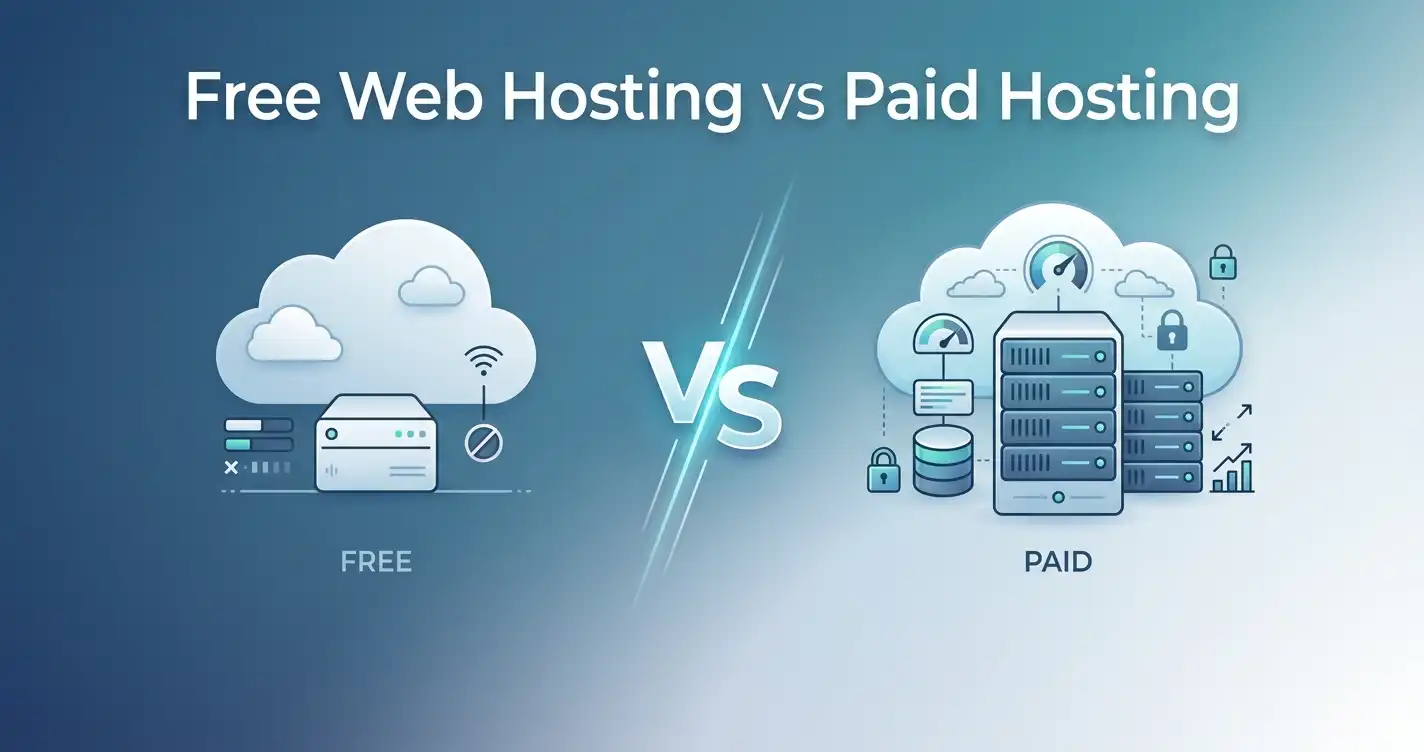
Is free web hosting a good idea?
Usually not for a serious business, affiliate or professional website. Free hosting can come with limitations, advertising, restricted resources or missing features. If the website matters to you, inexpensive paid hosting is generally a much better starting point.
Can I change my web host later?
Yes. Website migration is possible, although the difficulty depends on your hosting environment, website software, and technical setup. If you think you may move an existing website, migration assistance can be a valuable feature when comparing providers.
Final Verdict
The best web hosting for beginners isn't the provider with the longest feature list.
It's the one that lets you get your website online, understand what you're doing, recover when something goes wrong, and grow without forcing you into unnecessary technical complexity.
For most new website owners, I'd start with Hostinger. If price is your overriding concern, look closely at IONOS. If support and migration matter more, consider InMotion Hosting. If you're specifically focused on WordPress, Bluehost is worth comparing. And if environmental considerations are part of your decision, GreenGeeks deserves a look.
Most importantly, don't buy more hosting than your website needs today. Your first hosting plan doesn't have to be your forever hosting plan.
Start simple. Learn how your website works. Watch your traffic and resource usage. Then upgrade when the numbers—not the marketing page—tell you it's time.
For a broader step-by-step decision process, continue with our practical guide to choosing web hosting.
Share this article 👇