Web Hosting Glossary: 50+ Terms Every Beginner Should Know
If you've ever tried to buy hosting, set up a website, or troubleshoot a WordPress site, you've probably run into terms that seem obvious to hosting companies but aren't obvious at all to beginners.
A web hosting glossary helps by putting those terms into plain English. Below you'll find more than 50 common words and phrases related to hosting, domains, servers, WordPress, performance, security, and website management—with practical explanations of what each one actually means.
You don't need to memorize them. The goal is simply to know what you're looking at when a hosting provider, developer, or control panel uses one of these terms.
Web Hosting Terms
1. Web Hosting
Web hosting is a service that stores your website's files on a server and makes them available to visitors over the internet.
When someone enters your domain into a browser, the hosting server delivers the files and data needed to display your website.
2. Hosting Provider
A hosting provider is a company that operates or manages servers and sells hosting services.
The provider may offer shared hosting, VPS hosting, dedicated servers, cloud hosting, WordPress hosting, or several of these options.
3. Server
A server is a computer designed to provide data or services to other computers over a network.
For websites, the server stores things such as HTML files, images, databases, application files, and other resources needed to run the site.
4. Data Center
A data center is a facility containing servers, networking equipment, power systems, cooling systems, and security infrastructure.
Hosting companies operate servers in data centers located in different regions around the world.
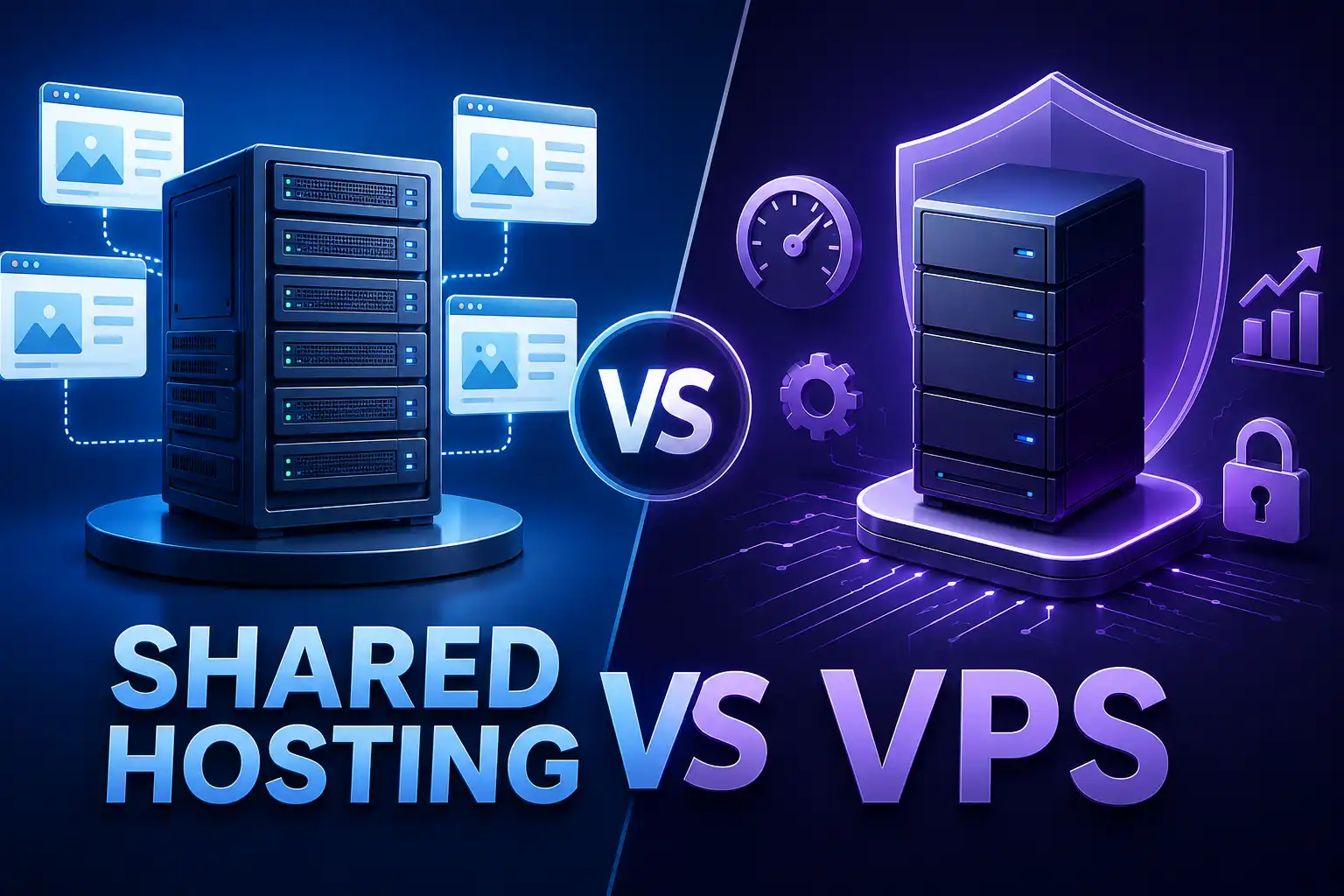
5. Shared Hosting
Shared hosting places multiple websites on the same physical server and has them share server resources.
It is generally designed for smaller websites that don't require a large amount of dedicated computing capacity.
6. VPS Hosting
VPS hosting, or Virtual Private Server hosting, uses virtualization to create isolated virtual server environments on a physical server.
A VPS generally provides more control and resource isolation than traditional shared hosting.
7. Dedicated Hosting
Dedicated hosting gives you an entire physical server for your website or applications rather than sharing that server with unrelated customers.
It can provide substantial control and resources, but it also requires more technical knowledge and usually costs more.
8. Cloud Hosting
Cloud hosting uses infrastructure made up of multiple interconnected servers or computing resources rather than relying on a single traditional server.
The exact architecture varies between providers, so "cloud" should not automatically be treated as a guarantee of better performance.
9. Managed Hosting
Managed hosting means the hosting provider handles some server or website administration tasks for you.
Exactly what is managed varies by provider. It can include things such as updates, backups, security monitoring, or server configuration.
10. WordPress Hosting
WordPress hosting is hosting configured or marketed specifically for websites running WordPress.
It may include WordPress-specific tools, automatic updates, staging environments, backups, or other management features depending on the provider.
Domain and DNS Terms
11. Domain Name
A domain name is the human-readable address people use to reach a website, such as example.com.
The domain is different from the hosting itself. You can register a domain with one company and host the website with another.
12. Domain Registrar
A domain registrar is a company through which domain names can be registered and managed.
The registrar and hosting provider can be the same company, but they don't have to be.
13. DNS
DNS, or Domain Name System, translates domain names into information computers use to locate internet services.
In simple terms, DNS helps connect a domain such as example.com to the appropriate server.
14. DNS Record
A DNS record is an instruction stored in DNS that tells systems how a domain or subdomain should be handled.
Common record types include A, AAAA, CNAME, MX, TXT, and NS records.
15. A Record
An A record points a domain or hostname to an IPv4 address.
For example, it can tell DNS that example.com should resolve to a particular server's IPv4 address.
16. AAAA Record
An AAAA record performs a similar function to an A record but points to an IPv6 address.
17. CNAME Record
A CNAME record creates an alias from one hostname to another hostname.
It is commonly used when a subdomain should point to another domain name rather than directly specifying an IP address.
18. MX Record
An MX record identifies the mail servers responsible for receiving email for a domain.
Changing MX records can therefore affect where your domain's email is delivered.
19. TXT Record
A TXT record stores text associated with a domain.
TXT records are commonly used for things such as domain verification and email authentication systems.
20. Nameserver
A nameserver is a DNS server responsible for answering DNS queries for a domain.
When you change the nameservers for a domain, you're generally telling the internet which DNS infrastructure should manage that domain's DNS records.
21. DNS Propagation
DNS propagation describes the period during which DNS changes become visible through different DNS resolvers.
It is not a single switch that changes everywhere simultaneously. Cached DNS information can cause different users or networks to see different results temporarily.
Server and Technical Terms
22. IP Address
An IP address is a numerical network address assigned to a device or network interface.
Web servers use IP addresses so network traffic can reach the appropriate machine.
23. IPv4
IPv4 is the older and still widely used version of the Internet Protocol.
An IPv4 address looks like:
203.0.113.42
24. IPv6
IPv6 is the newer version of the Internet Protocol, designed in part to provide a vastly larger address space than IPv4.
An IPv6 address looks very different from an IPv4 address because it uses hexadecimal notation.
25. Bandwidth
In hosting, bandwidth generally refers to the amount of data that can be transferred between a website and its visitors over a period of time.
It is different from the speed of an individual visitor's internet connection.
26. Storage
Storage is the amount of disk space available for website files, databases, email, backups, and other hosted data.
The exact amount you need depends on what your website stores.
27. CPU
CPU, or Central Processing Unit, performs computational work on a server.
A website that performs complex operations or handles many simultaneous requests may require more CPU resources.
28. RAM
RAM, or Random Access Memory, is temporary working memory used by applications and processes running on a server.
Insufficient memory can cause performance problems or prevent applications from completing certain tasks.
29. SSD
An SSD, or Solid-State Drive, is a storage device that uses flash memory rather than traditional spinning magnetic disks.
SSD-based storage can provide faster data access than traditional hard disk drives.
30. NVMe
NVMe is a protocol designed for high-speed communication with modern solid-state storage devices.
Hosting providers often use NVMe storage when targeting faster storage performance.
31. Control Panel
A control panel is a web-based interface used to manage hosting services.
Depending on the provider, it may allow you to create email accounts, manage domains, access files, configure databases, review backups, and perform other administrative tasks.
32. cPanel
cPanel is a widely used web hosting control panel.
It provides a graphical interface for managing many common hosting tasks without requiring command-line administration for every operation.
33. FTP
FTP, or File Transfer Protocol, is a protocol used to transfer files between computers.
It has traditionally been used to upload and manage website files.
34. SFTP
SFTP, or SSH File Transfer Protocol, provides file transfers through an SSH connection.
Despite the similar name, SFTP is not simply "secure FTP"; it is a different protocol.
35. SSH
SSH, or Secure Shell, provides encrypted remote access to a server through a command-line interface.
It is particularly useful for developers and administrators who need direct control over server environments.
36. SSH Access
SSH access means you are allowed to connect to a server using SSH credentials and an appropriate client.
Whether SSH is available depends on the hosting plan and provider.
Website and Application Terms
37. CMS
A CMS, or Content Management System, is software that allows users to create and manage website content.
WordPress is one example of a CMS.
38. WordPress
WordPress is an open-source content management system used to build websites, blogs, online stores, and other web applications.
Its hosting requirements depend heavily on the site's plugins, theme, traffic, database activity, and configuration.
39. Database
A database stores structured information used by a website or application.
A WordPress site, for example, stores posts, pages, settings, users, and other information in a database.
40. MySQL
MySQL is a relational database management system commonly used by websites and web applications.
WordPress traditionally uses MySQL-compatible database technology.
41. PHP
PHP is a server-side programming language widely used in web development.
WordPress is built primarily with PHP, which means the PHP environment on your hosting server matters when running a WordPress website.
42. SSL Certificate
An SSL certificate enables encrypted HTTPS connections between a visitor's browser and a website.
Modern websites should use HTTPS rather than serving sensitive or ordinary web traffic exclusively over unencrypted HTTP.
43. HTTPS
HTTPS is the secure version of HTTP.
It encrypts communication between the browser and web server using TLS.
44. HTTP
HTTP, or Hypertext Transfer Protocol, is the protocol used for communication between web browsers and web servers.
When you open a webpage, your browser uses HTTP or HTTPS to request resources from the server.
Performance Terms
45. Website Speed
Website speed describes how quickly a webpage and its resources load and become usable for visitors.
It can be affected by hosting, images, code, databases, third-party scripts, caching, network conditions, and many other factors.
46. Server Response Time
Server response time describes how long it takes for a server to begin responding to a request.
Slow server-side processing can contribute to a slow page experience, although server response time is only one part of overall website performance.
47. Caching
Caching stores frequently needed data or generated content temporarily so it can be delivered more efficiently later.
Websites can use different types of caching at the browser, server, application, or network level.
48. CDN
A CDN, or Content Delivery Network, is a distributed network of servers that can deliver cached website resources from locations closer to visitors.
CDNs are commonly used for static resources such as images, CSS, JavaScript, and other files.
49. Content Delivery Network Edge Server
A CDN edge server is a server positioned within a CDN's distributed network that serves content closer to the end user.
The purpose is to reduce the distance data needs to travel for cached resources.
50. Uptime
Uptime refers to the period during which a service is available and functioning.
Hosting companies often publish uptime targets or guarantees, but the exact definition, measurement method, exclusions, and compensation terms can differ between providers.
51. Latency
Latency is the delay involved in transmitting data between systems.
A website hosted far from its visitors may experience higher network latency, although caching and CDN infrastructure can reduce the effect for some resources.
Security and Reliability Terms
52. Backup
A backup is a separate copy of website data that can be used to restore information after accidental deletion, corruption, a security incident, or another failure.
A backup is only useful if it can actually be restored.
53. Malware
Malware is malicious software designed to perform unwanted or harmful actions.
A compromised website may contain malicious code, redirects, injected content, or unauthorized files.
54. Firewall
A firewall is a security system that controls network traffic according to defined rules.
Hosting environments may use network firewalls and application-level security systems to restrict unwanted traffic.
55. WAF
A WAF, or Web Application Firewall, filters HTTP and HTTPS traffic to help protect web applications from certain types of attacks.
It operates at the application traffic level rather than simply controlling network connections.
56. DDoS Attack
A DDoS, or Distributed Denial-of-Service attack, attempts to overwhelm a service with large amounts of traffic or requests so legitimate users have difficulty accessing it.
Hosting providers may offer different levels of DDoS protection.
57. Two-Factor Authentication
Two-factor authentication, commonly called 2FA, adds an additional verification step beyond a password.
For example, an account may require both a password and a temporary verification code.
58. Malware Scanner
A malware scanner checks files or systems for known or suspicious malicious code.
Scanning is useful, but it should not be treated as a complete replacement for secure passwords, updates, backups, and other security practices.
Website Management Terms
59. Staging Environment
A staging environment is a separate copy or version of a website used to test changes before publishing them to the live site.
For WordPress sites, staging can be particularly useful when testing plugins, themes, updates, or design changes.
60. Production Environment
The production environment is the live environment serving the actual website to visitors.
Changes made there can immediately affect the public site.
61. Migration
A website migration is the process of moving a website from one hosting environment, domain, platform, or server to another.
A migration may involve website files, databases, DNS settings, email, SSL configuration, and application settings.
62. Domain Transfer
A domain transfer moves management of a domain from one registrar to another.
This is different from moving the website itself. You can transfer a domain while leaving the website hosted elsewhere.
63. SSL Renewal
An SSL renewal is the process of replacing or extending an SSL/TLS certificate before it expires.
Many modern certificate systems can automate renewal.
64. Cron Job
A cron job is a scheduled task that runs automatically at a specified time or interval.
Websites can use scheduled tasks for backups, maintenance, database operations, notifications, and other automated processes.
65. HTTP Status Code
An HTTP status code is a number returned by a web server describing the result of a request.
For example:
- 200 — request succeeded
- 301 — permanent redirect
- 302 — temporary redirect
- 404 — requested resource was not found
- 500 — server encountered an internal error
Understanding these codes makes website troubleshooting much easier.
Which Hosting Terms Matter Most for a Beginner?
You don't need to understand every technical term before launching a website.
If you're just getting started, concentrate on these first:
- Domain name — your website's address.
- Web hosting — where your website is stored and served.
- DNS — connects your domain to the appropriate services.
- SSL/HTTPS — protects connections between visitors and your site.
- Storage — determines how much data you can keep.
- Bandwidth — relates to the amount of data transferred.
- CPU and RAM — affect the computing resources available to your site.
- Backup — gives you a way to recover from problems.
- Caching — can improve how efficiently your site delivers content.
- Staging — provides a safer place to test significant changes.
Once those concepts make sense, terms such as VPS, CDN, SSH, WAF, DNS records, and server resources become much easier to understand.
Why Hosting Terminology Matters When Choosing a Host
Hosting companies often use technical specifications to describe their plans, but individual numbers don't tell the entire story.
For example, a plan offering a large amount of storage isn't necessarily the right choice for a small business website that barely uses disk space. Likewise, having access to more CPU or RAM doesn't automatically mean a poorly configured website will be fast.
The more useful question is:
What does the website actually need?
A simple business website may have very different requirements from a busy WooCommerce store, membership site, web application, or large content publication.
That's why hosting should be considered alongside the website's technology, expected traffic, performance requirements, security needs, maintenance requirements, and plans for future growth.
What Should You Learn Next?
This glossary gives you the vocabulary. The next step is understanding how the pieces fit together.
If you're new to hosting, start with: What Is Web Hosting? and then explore: Shared Hosting vs VPS to understand the difference between two common hosting environments.
6. FAQs
What is the difference between a domain and web hosting?
A domain is the address people use to find your website, while web hosting is the server infrastructure that stores and delivers the website. You can purchase your domain and hosting from different companies.
What does shared hosting mean?
Shared hosting means multiple websites use resources on the same physical server. It is commonly used by smaller websites because it can provide a simpler hosting environment without requiring server administration.
What is the difference between VPS and shared hosting?
Shared hosting places multiple websites within a shared hosting environment, while a VPS provides an isolated virtual server environment with greater control and resource allocation. A VPS is generally more flexible but can require more technical knowledge.
What does DNS do?
DNS helps translate domain names into the information needed to reach internet services. In practical terms, it helps connect a domain such as example.com to the appropriate website, email, or other service.
Do I need to understand all of these hosting terms?
No. You can run a website without becoming a server administrator. However, understanding basic terms such as hosting, domains, DNS, SSL, backups, storage, and server resources makes it much easier to choose hosting and troubleshoot common problems.
What hosting terms are most important when choosing a provider?
Start with the resources and features that directly affect your website: the hosting environment, storage, available computing resources, backups, security features, SSL support, management tools, scalability, and the provider's support options. The right combination depends on the type and requirements of your website.
7. Closing Service Bridge
Choosing hosting is only one part of building a reliable website. If you're unsure how your hosting, WordPress setup, performance, security, or future growth requirements fit together, PlanYourHost can help you plan and build the website around those requirements rather than choosing infrastructure in isolation.
Share this article 👇