What Is Web Hosting?
Web hosting is the service that stores your website's files and makes them accessible to people on the internet. When you create a website, you produce files such as HTML, CSS, JavaScript, images, videos, and sometimes database content. Those files need to be stored on a server that can receive requests from visitors and deliver your website to their browsers.
That is what web hosting provides.
A web host is the company that provides the server infrastructure, storage, network connection, security, and other services needed to keep your website available online.
Think of it this way: your domain name is your website's address, while web hosting provides the server environment where your website lives.
Without hosting, a self-hosted website has nowhere to store the files and data needed to serve its pages.
In this guide, you'll learn what web hosting is, how it works, how it differs from a domain name and web server, what types of hosting are available, how much hosting costs, and how to choose the right option for your website.
How Does Web Hosting Work?
Understanding web hosting becomes much easier when you know what happens when someone visits a website.
Suppose someone enters:
yourwebsite.com
into their browser.
A simplified version of what happens next is:
- The browser needs to find the server associated with the domain.
- DNS resolution helps translate the domain name into an IP address.
- The browser connects to the appropriate server.
- The server processes the request and determines what content is needed.
- Website files and, when necessary, information from a database are retrieved.
- The server sends the requested data back to the browser.
- The browser processes the response and displays the webpage.
This process normally happens very quickly.
The Basic Website Hosting Flow
Visitor → Domain → DNS → Hosting Server → Website Files/Database → Browser
This is why several different technologies work together when someone visits a website. A domain gives people a memorable name, DNS helps locate the appropriate server, and hosting provides the infrastructure that stores and delivers the website.
The speed and reliability of that infrastructure can affect how quickly your website responds and how consistently it remains available.
Domain Name vs. Web Hosting: What's the Difference?
A domain name and web hosting are related, but they are not the same thing.
Your domain is the address people use to reach your website, such as:
yourbusiness.com
Web hosting provides the server resources where your website's files and data are stored.
A simple way to understand the difference is:
| Component | What It Does | Simple Explanation |
|---|---|---|
| Domain name | Identifies your website | Your website's address |
| Web hosting | Provides server resources | Where your website is hosted |
| Web server | Stores and delivers website content | The computer serving your website |
| DNS | Helps connect the domain to the server | The system that directs visitors |
You can purchase your domain and hosting from the same company or from different companies.
If they are purchased separately, you'll need to configure the domain's DNS settings so that it points toward the appropriate hosting environment.
Keeping the domain and hosting with the same provider can simplify setup for beginners, but there is no requirement that they come from the same company.
Do You Need Both a Domain and Hosting?
For a typical self-hosted website, yes, you'll generally need both.
However, they perform different jobs:
- Domain: How visitors find your website.
- Hosting: Where your website's files and data are stored and served.
Some hosting plans include a domain registration for a limited period, but domain registration and hosting are still separate services.
Also remember that promotional domain pricing and hosting pricing can have different renewal terms.
What Is a Web Server?
A web server is a computer and software environment designed to receive requests and deliver website content over a network.
A server is similar in principle to the computer you're using now, but web servers are designed and configured to operate continuously, handle many requests, use specialized software, and connect to high-speed networks.
Web servers commonly use software such as:
- Apache
- Nginx
- LiteSpeed
Your website may also rely on additional software such as PHP, databases, caching systems, or other server-side technologies.
Web servers are typically housed in data centers with infrastructure such as redundant power, cooling, networking, physical security, and monitoring.
Web Server vs. Web Hosting
These terms are often used interchangeably, but they describe different things.
A web server is the underlying computing environment that handles requests and serves website content.
Web hosting is the service that gives you access to server resources and supporting infrastructure without requiring you to purchase and manage the physical server yourself.
In other words:
A server is part of the infrastructure. Web hosting is the service that lets you use that infrastructure to run your website.
What Is DNS and Why Does It Matter?
DNS stands for Domain Name System.
People use domain names because they are much easier to remember than numerical IP addresses. DNS helps translate a domain name into information that allows the appropriate server to be located.
For example, when someone enters your domain into a browser, DNS resolution helps determine where that domain should connect.
You don't normally need to understand the technical details of DNS to run a website, but knowing its basic purpose helps explain why changing hosting providers or pointing a domain to a new server sometimes requires DNS changes.
DNS is essentially one of the systems that connects:
Human-friendly domain name → Technical destination
Types of Web Hosting Explained
Not every website has the same requirements.
A small personal blog might need only a fraction of the resources required by a busy online store or web application. That's why hosting companies offer several different types of hosting.
The most common options include:
- Shared hosting
- VPS hosting
- Dedicated hosting
- Cloud hosting
- Managed WordPress hosting
Let's look at what each one means.
Shared Hosting
Shared hosting places multiple websites on the same physical server infrastructure.
The websites share available server resources, although hosting providers may impose different resource limits or allocation rules depending on the plan.
Shared hosting is popular because it is usually inexpensive and relatively easy to manage.
It's often suitable for:
- Personal blogs
- Small business websites
- Portfolios
- New WordPress websites
- Low-to-moderate traffic websites
Advantages of Shared Hosting
- Low cost
- Beginner-friendly
- Easy setup
- Usually includes a hosting control panel
- Provider handles much of the server maintenance
Limitations
Because resources are shared, there can be limits on CPU, RAM, storage, processes, bandwidth, or other resources.
Shared hosting also provides less server-level control than VPS or dedicated hosting.
For many new websites, however, those limitations aren't a problem.
If you're starting a new website, you can compare current shared hosting options to understand what entry-level plans typically provide.
VPS Hosting
VPS stands for Virtual Private Server.
A VPS uses virtualization to create an isolated virtual server environment on physical server infrastructure.
Compared with typical shared hosting, a VPS generally provides greater control and more predictable resource allocation, depending on the provider and plan.
VPS hosting can be appropriate when:
- Your website has outgrown shared hosting
- You need more server control
- You require additional resources
- You run custom software
- Your application has more demanding requirements
The trade-off is complexity.
An unmanaged VPS can require knowledge of server administration, security, updates, networking, and software configuration.
Managed VPS hosting can reduce that administrative burden, although it usually costs more.
Dedicated Hosting
Dedicated hosting gives you an entire physical server rather than sharing that server with other customers.
This provides significant control over the server environment and access to all of its available hardware resources.
Dedicated hosting can make sense for:
- High-traffic websites
- Large online stores
- Resource-intensive applications
- Organizations with specific infrastructure requirements
However, dedicated hosting is substantially more expensive than entry-level hosting and may require considerable technical knowledge.
For a typical beginner website, it is usually unnecessary.
Cloud Hosting
Cloud hosting generally uses distributed or interconnected computing infrastructure rather than relying on a single physical server.
Depending on how the provider designs its infrastructure, cloud environments can provide advantages such as:
- Scalability
- Redundancy
- Flexible resource allocation
- High availability options
Cloud hosting is often useful for websites and applications with changing resource requirements or more demanding availability and scalability needs.
However, "cloud hosting" is a broad term. Not every cloud product works in exactly the same way, so you should evaluate the actual infrastructure and resources included in a specific plan rather than relying on the label alone.
Managed WordPress Hosting
Managed WordPress hosting is a hosting service specifically optimized for WordPress websites.
Depending on the provider, managed plans may include services such as:
- WordPress updates
- Performance optimization
- Automated backups
- Security features
- WordPress-specific support
- Server-level caching
The major advantage is convenience.
Instead of managing as much of the underlying environment yourself, you can focus more on your website's content and business.
The trade-off is usually a higher price and, in some cases, restrictions on certain plugins, configurations, or server-level functionality.
If you're using WordPress and want less technical administration, you can explore managed WordPress hosting options.
Now that you understand the basics, you can go deeper into the specific concepts that matter most for your setup. Learn exactly how web hosting works behind the scenes, understand the difference between hosting and a domain, or find out what a server actually is. If budget is your main concern, our complete 2026 hosting cost guide breaks down real pricing across every hosting type. (Once published, add: What Is Shared Hosting / VPS / Cloud / Dedicated / Managed Hosting links here too — this is the pillar's main distribution point.)
Ready to choose a provider? Compare the top-rated options in our best web hosting 2026 guide.
Which Type of Web Hosting Should You Choose?
There is no single hosting type that is best for everyone.
Your requirements should determine the appropriate starting point.
| Website Situation | Starting Point | Why |
|---|---|---|
| Personal blog | Shared hosting | Affordable and usually sufficient |
| Portfolio website | Shared hosting | Low resource requirements |
| Small business website | Shared or managed WordPress | Simple to manage and cost-effective |
| New WordPress website | Shared or managed WordPress | Easy setup and maintenance |
| Growing website | VPS | More resources and control |
| Online store | Shared, managed WordPress, or VPS | Depends on traffic and application requirements |
| High-traffic website | VPS, cloud, or dedicated | Greater resources and scalability |
| Web application | VPS or cloud | More control and flexibility |
For many beginners, shared hosting is a sensible place to start.
You don't necessarily need expensive infrastructure before your website has the traffic or technical requirements to justify it.
As your website grows, you can move to a more powerful hosting environment.
What Are Hosting Resources?
When comparing hosting plans, you'll encounter specifications such as storage, bandwidth, CPU, and RAM.
Understanding what they mean is more useful than simply comparing the numbers.
Storage
Storage is the amount of space available for your website's files and data.
It may include:
- Website files
- Images
- Videos
- Databases
- Emails
- Backups
A basic website usually doesn't require a huge amount of storage.
Bandwidth
Bandwidth refers to the amount of data that can be transferred between your website and its visitors during a given period.
A website with many visitors and large media files can consume considerably more bandwidth than a small text-based website.
CPU
CPU resources handle processing tasks.
A website with complex applications, database queries, or high traffic may require more processing capacity than a simple static website.
RAM
RAM provides temporary working memory used by applications and processes.
Websites and applications that perform more simultaneous operations can benefit from additional memory.
Inodes and File Limits
Some hosting plans also impose limits on the number of files, directories, emails, or other filesystem objects you can create.
These limits are particularly relevant if you're hosting many websites or thousands of small files.
What Affects Website Performance on Hosting?
Hosting is only one part of website performance, but the hosting environment can have a significant effect.
Server Response Time
Server response time measures how quickly the server begins responding after receiving a request.
One commonly discussed measurement is Time to First Byte (TTFB).
A slow server response can add delay before the browser receives the content it needs.
However, website speed depends on much more than hosting alone. Images, JavaScript, CSS, caching, databases, third-party scripts, network conditions, and the user's device can all affect the final loading experience.
Storage Technology
Modern hosting environments commonly use SSD or newer flash-based storage rather than traditional mechanical hard drives.
Faster storage can improve certain server operations, particularly workloads involving frequent reading and writing of data.
Storage technology matters, but it shouldn't be the only factor you use to evaluate a host.
Resource Allocation
Every hosting plan has limits.
Depending on the provider, these may include:
- CPU
- RAM
- Storage
- Processes
- Database resources
- File limits
- Bandwidth
When a website regularly reaches its resource limits, visitors may experience slower responses, errors, or other problems.
Server Location
The physical location of your hosting infrastructure can affect network latency.
If most of your visitors are located in Saudi Arabia, Europe, North America, or another particular region, choosing infrastructure reasonably close to your primary audience can help reduce network distance.
A CDN can also distribute cached content through locations closer to visitors.
Caching
Caching stores reusable content so that it doesn't have to be generated from scratch for every request.
Depending on your website and hosting environment, caching can happen at several levels, including:
- Server-level caching
- Application caching
- WordPress caching
- CDN caching
- Browser caching
Good caching can significantly reduce server workload and improve response times.
What Is a Hosting Control Panel?
A hosting control panel is the interface you use to manage your hosting account.
Depending on the provider, you may use cPanel, a custom dashboard, or another management interface.
A control panel may let you:
- Install WordPress
- Manage website files
- Create databases
- Configure email accounts
- Manage domains
- Install SSL certificates
- Create backups
- Manage DNS settings
- View resource usage
For beginners, a good control panel can make hosting considerably easier to manage.
If you don't have experience with server administration, choosing a host with a well-designed management interface and reliable support can be just as important as comparing raw hardware specifications.
How Much Does Web Hosting Cost?
Web hosting prices vary considerably depending on the type of hosting, resources, features, billing period, and provider.
Instead of focusing only on the advertised monthly price, pay attention to the entire pricing structure.
Introductory Pricing
Many hosting companies offer discounted prices for new customers.
The promotional price may apply only to the initial billing period.
Renewal Pricing
After the promotional term ends, the hosting plan may renew at a higher standard rate.
Always check the renewal price before purchasing.
This is one of the most important details beginners overlook.
Billing Period
Hosting providers may offer:
- Monthly billing
- Annual billing
- Multi-year billing
Longer billing periods often reduce the advertised monthly equivalent, but they require a larger upfront payment.
Other Costs to Check
Your actual website expenses may also include:
- Domain registration
- Domain renewal
- Premium email
- Backups
- CDN services
- Premium security features
- Website migration
- Additional storage
- Additional resources
Because hosting prices change frequently, always check the provider's current pricing and renewal terms before purchasing.
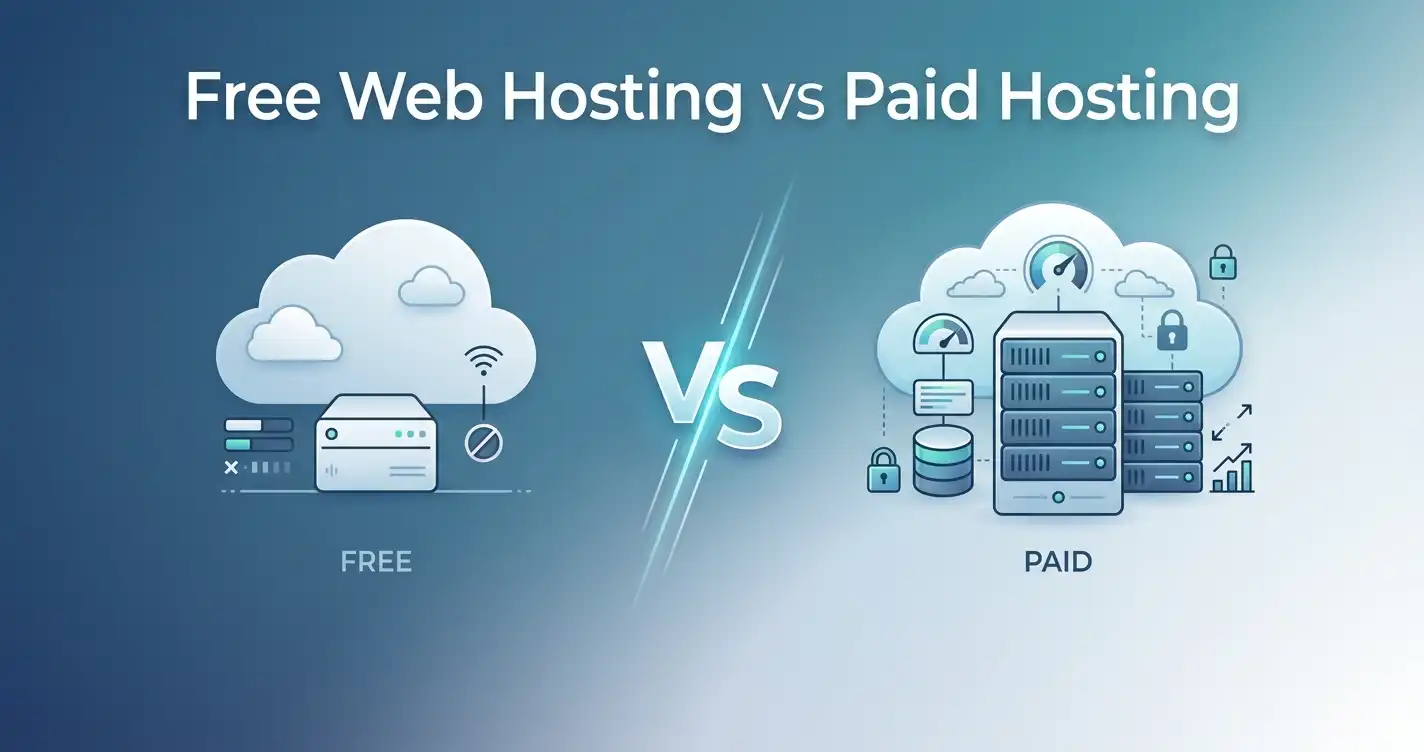
What About Free Web Hosting?
Free hosting does exist, but it usually comes with significant limitations.
Depending on the service, free hosting may provide:
- Limited storage
- Limited bandwidth
- Fewer features
- Advertising
- Restricted support
- Resource limitations
- Less control
- Lower reliability
Free hosting can be suitable for experiments, learning projects, or websites where performance and reliability aren't important.
For a business website, professional blog, online store, or website you're planning to grow, paid hosting is generally a more practical choice.
Is Web Hosting the Same as a Website Builder?
No.
A website builder is a tool or platform used to create and manage a website.
Web hosting provides the infrastructure that stores and serves the website.
Some platforms combine website building, hosting, and other services into one package. Other setups allow you to choose your website-building software and hosting separately.
For example, a self-hosted WordPress website typically requires you to obtain hosting separately from WordPress itself.
WordPress.com vs WordPress.org: Do You Need Hosting?
This is another common source of confusion.
WordPress.org provides the WordPress software, which you can install on your own hosting account. In this setup, you choose the hosting provider and manage your website within that environment.
WordPress.com is a hosted platform that provides hosting as part of its service.
The important distinction is:
Self-hosted WordPress requires a hosting environment. A hosted WordPress.com site provides that infrastructure as part of the platform.
Which option is better depends on how much control, flexibility, maintenance, and simplicity you want.
What Is SSL and Why Does Hosting Include It?
SSL/TLS helps encrypt the connection between a visitor's browser and your website.
When a website uses HTTPS, information transmitted between the browser and server can be protected against certain types of interception.
Many reputable hosting providers now include SSL certificates with hosting plans, often at no additional charge.
When evaluating hosting, check whether SSL is included and whether certificate installation and renewal are handled automatically.
What Should You Look for in a Web Host?
Price is only one factor.
Before choosing a hosting provider, consider the following.
1. Performance
Look at the resources, infrastructure, caching options, and server technology provided by the plan.
Don't assume the cheapest plan will deliver the same performance as a higher-tier environment.
2. Reliability and Uptime
Uptime represents the percentage of time a website remains accessible.
A provider advertising 99.9% uptime sounds excellent, but 99.9% still allows roughly 43.8 minutes of downtime over a 30-day period.
Look beyond the headline percentage.
Consider the provider's infrastructure, redundancy, monitoring, and history.
3. Support
Good support becomes especially important when you're a beginner.
Look for:
- 24/7 support where appropriate
- Live chat
- Ticket support
- Useful documentation
- Knowledge bases
- Clear communication during incidents
4. Security
Look for features such as:
- SSL/TLS
- Automated backups
- Firewalls
- Malware scanning
- Account isolation
- Security monitoring
No host can eliminate every security risk, so website owners still need to maintain secure passwords, software, plugins, and applications.
5. Backups
A backup can be invaluable when something goes wrong.
Check:
- How frequently backups are created
- How long they are retained
- Whether they are stored separately
- How easy restoration is
Never assume that "backups included" means the same thing at every hosting company.
6. Scalability
Your hosting needs can change.
A good hosting provider should make it reasonably straightforward to move from a smaller plan to a more powerful environment when necessary.
Check the available upgrade path before you need it.
7. Server Locations
Choose infrastructure that makes sense for your target audience.
If your visitors are concentrated in a particular country or region, consider the provider's available data-center locations and CDN options.
8. Renewal Pricing
Don't choose a host solely because the introductory price looks cheap.
Always check what you'll pay when the promotional period ends.
Common Web Hosting Mistakes Beginners Make
Understanding what hosting is also means understanding what not to do.
Choosing Only Based on Price
The cheapest plan isn't necessarily the best value.
Compare resources, support, backups, security, renewal pricing, and upgrade options.
Buying More Resources Than You Need
A new website usually doesn't need a powerful dedicated server.
Start with an appropriate plan and upgrade when your actual requirements justify it.
Ignoring Renewal Pricing
A low introductory price can become much more expensive at renewal.
Always check both prices.
Ignoring Backups
A website can be damaged by software errors, accidental deletion, security incidents, or other problems.
Know how your hosting provider handles backups and restoration.
Assuming Unlimited Means Unlimited
Terms such as "unlimited websites" or "unlimited storage" are usually subject to acceptable-use policies and other resource limitations.
Read the actual plan specifications.
Choosing a Host Without Considering Support
When something breaks, technical support can save significant time.
Support quality matters even more for beginners.
Can You Change Web Hosting Providers Later?
Yes.
Changing hosting providers is commonly called website migration.
A migration can involve moving:
- Website files
- Databases
- Email accounts
- Domain configuration
- DNS settings
- SSL configuration
Many hosting providers offer migration assistance, and some provide free migration services for new customers.
You are not permanently locked into the first host you choose.
However, choosing an appropriate provider from the beginning can reduce unnecessary migration work.
What Happens If Your Website Outgrows Its Hosting?
If your website consistently exceeds its hosting resources, you may experience:
- Slow responses
- Server errors
- Resource-limit warnings
- Database problems
- Temporary restrictions
The solution isn't automatically to buy the most expensive hosting available.
First, identify what resource is actually being exhausted.
You might need:
- Better caching
- Website optimization
- A CDN
- More CPU/RAM
- A larger hosting plan
- VPS hosting
- Cloud infrastructure
A good hosting provider should give you a clear upgrade path as your requirements increase.
Frequently Asked Questions About Web Hosting
What is web hosting in simple terms?
Web hosting is a service that provides the server infrastructure needed to store and deliver your website's files and data to visitors over the internet.
Do I need web hosting to have a website?
For a typical self-hosted website, yes. You need somewhere to store the website's files and data and a server environment capable of delivering them to visitors.
Some hosted platforms include hosting as part of their service, so you don't necessarily need to purchase hosting separately.
What is the difference between a domain and hosting?
A domain is the address people use to find your website. Hosting provides the server resources where your website is stored and served.
You can purchase them from the same company or from different companies.
What is a web server?
A web server is a computer and software environment that receives requests and delivers website content to visitors.
Web hosting gives customers access to server infrastructure without requiring them to own and maintain the physical hardware themselves.
Can I host a website for free?
Yes, free hosting services exist, but they commonly have restrictions involving resources, features, support, advertising, reliability, or customization.
Free hosting can be useful for experiments and learning, but paid hosting is generally more appropriate for serious websites.
Do I need technical skills to use web hosting?
Not necessarily.
Shared hosting and managed WordPress hosting are designed to make common tasks relatively easy through control panels and automated tools.
VPS and dedicated servers can require substantially more technical knowledge, particularly when they are unmanaged.
Can I host multiple websites on one hosting account?
It depends on the plan.
Some plans support multiple websites, while others are limited to a single site. Even when a provider allows multiple websites, the websites still share the resources available to the hosting account.
Always check the plan's actual website and resource limits.
Does web hosting include email?
Some hosting plans include email accounts for your domain, while others charge separately or expect you to use a third-party email service.
If professional email is important to you, check exactly what the hosting plan includes.
How much does web hosting cost?
The price depends on the hosting type, provider, resources, features, and billing period.
Shared hosting is generally the least expensive starting point, while VPS, cloud, and dedicated environments typically cost more.
Always compare both introductory and renewal pricing.
Can I change my hosting provider later?
Yes. Website migration allows you to move your website to another hosting provider.
Many providers offer migration assistance, although the exact process depends on your website and hosting environment.
Which hosting is best for beginners?
For many new websites, shared hosting is a practical starting point because it is affordable and relatively easy to manage.
Managed WordPress hosting can also be a good option if you use WordPress and prefer the provider to handle more technical maintenance.
The best choice ultimately depends on your website's requirements and budget.
Final Thoughts: What Is Web Hosting?
Web hosting is the infrastructure that allows your website to exist and remain accessible on the internet.
Your domain name gives people a way to find your website. DNS helps connect that domain to the appropriate destination. Your hosting environment provides the server resources that store and process your website's files and data, while the web server delivers the requested content to visitors.
For most beginners, the process doesn't need to be complicated.
Start by understanding what your website actually needs.
A simple blog or portfolio may work perfectly well on shared hosting. A growing website may eventually benefit from VPS hosting, while high-traffic websites and more demanding applications may require cloud or dedicated infrastructure.
When comparing providers, don't focus only on the lowest advertised price. Consider performance, resource limits, security, backups, support, server locations, renewal costs, and the ability to upgrade as your website grows.
If you're ready to compare hosting providers, you can explore options such as DreamHost, GreenGeeks, and InMotion Hosting, but evaluate each plan according to your actual requirements rather than choosing based solely on promotional pricing.
The right hosting isn't necessarily the most powerful or the cheapest. It's the hosting environment that provides the resources, reliability, support, and scalability your website actually needs.
Share this article 👇